Table of Contents
- Introduction
- Why Computer Projects Matter for Kids
- Unplugged Coding: Starting Without a Screen
- Fun Computer Projects for Preschoolers (Ages 2-5)
- Elementary School Projects (Ages 6-10)
- Middle School and Teen Projects (Ages 11+)
- Robotics: Bringing Code to Life
- How to Connect Computer Logic to the Kitchen
- Organizing a Family "STEM Day"
- Overcoming Common Challenges
- The Future of Fun Computer Projects: AI and Beyond
- Realistic Expectations for Your Little Coder
- Building a STEM-Rich Environment at Home
- Case Study: The Dinosaur Enthusiast
- Summary of Project Ideas by Age
- FAQ: Frequently Asked Questions about Kids' Computer Projects
- Conclusion
Introduction
Have you ever watched your child’s eyes light up when they finally solve a difficult level in a video game or figure out how to navigate a new app? That spark of curiosity is exactly what we love to see at I'm the Chef Too!. We often find that parents are looking for ways to transition their children from being passive consumers of technology to active creators. The question isn't just how much screen time they are getting, but what they are doing with that time. What if that screen became a canvas, a laboratory, or a construction site?
In this guide, we are going to explore a variety of fun computer projects for kids that range from "unplugged" activities that don't require a screen at all to advanced programming and robotics. Our goal is to provide you with a roadmap for digital exploration that mirrors our own educational philosophy: blending STEM, art, and hands-on fun into unforgettable "edutainment" experiences. We will cover coding basics, game design, digital art, and even how to bridge the gap between computer logic and the real-world magic of the kitchen.
By the end of this post, you will have a toolkit of activities designed to foster a love for learning, build confidence, and create joyful family memories. We believe that whether a child is measuring flour for a cake or dragging blocks of code to move a character, they are developing critical thinking skills that will serve them for a lifetime.
Why Computer Projects Matter for Kids
Before we dive into the specific projects, it is helpful to understand why these activities are so beneficial. When we talk about fun computer projects for kids, we aren't just talking about learning how to type or use a mouse. We are talking about computational thinking. This is a problem-solving process that involves breaking down complex problems into smaller, manageable parts—much like how we break down a complex recipe into individual steps.
Computer projects encourage:
- Logical Reasoning: Understanding cause and effect (if I do this, then that happens).
- Creativity: Using digital tools to express original ideas, whether through art, music, or game design.
- Persistence: Learning that "bugs" are just opportunities to learn and that trial and error is a natural part of the creative process.
- Confidence: The "I built this!" feeling is incredibly powerful for a child's self-esteem.
At I'm the Chef Too!, we see these same benefits in the kitchen. When kids join The Chef's Club and enjoy free shipping on every box, they are engaging in a physical version of this logic. They follow sequences, troubleshoot when a dough is too sticky, and celebrate their final creation.
Unplugged Coding: Starting Without a Screen
It might seem counterintuitive to start a discussion about computer projects away from the computer, but "unplugged" coding is one of the best ways to introduce foundational concepts. These activities are perfect screen-free alternatives that get kids moving while teaching them how computers "think."
The Human Robot (Chalk Coding)
This is a fantastic activity for a sunny afternoon. All you need is some sidewalk chalk and a bit of open space.
- The Grid: Use the chalk to draw a large 8x8 grid on the driveway. Each square should be big enough for a child to stand in.
- The Goal: Place an object (like a toy or a ball) in one of the squares. This is the "target."
- The Obstacles: Mark a few squares as "off-limits" or "lava."
- The Roles: One person is the "Programmer" and the other is the "Robot."
- The Code: The Programmer must give the Robot specific, step-by-step instructions to reach the target without hitting the lava. They can only use commands like "Move Forward 1," "Turn Left 90 Degrees," or "Move Backward 2."
This teaches kids about sequencing and algorithms. If the Programmer makes a mistake and the Robot ends up in the lava, they have to "debug" their code and try again. This hands-on approach to logic is exactly what we strive for in our kits. For instance, you can find the perfect theme for your little learner by browsing our complete collection of one-time kits to find other ways to practice these step-by-step skills.
Deck of Cards Algorithms
If it’s a rainy day, you can bring the same logic indoors using a standard deck of cards. Lay the cards out in a grid on the floor. Use small household items like LEGO bricks as obstacles and a small action figure as the "cursor."
Have your child write down a list of instructions on a piece of paper (their "program") to get the figure from one side of the grid to the other. Once the code is written, execute it together. This introduces the concept of syntax—the idea that the instructions must be written down clearly before they are carried out.
Fun Computer Projects for Preschoolers (Ages 2-5)
At this age, computer projects should be highly visual, tactile, and focused on play. We want to demystify technology and show kids that they can control it.
Robot Turtles
Technically a board game, Robot Turtles was designed to teach the fundamentals of programming to kids as young as four without needing a screen. It uses cards with symbols to move turtles toward jewels. It’s a wonderful way for families to bond over a "coding" activity.
What makes this special is that the child is the "boss," and the adult acts as the computer, making the funny noises and moving the pieces according to the child's commands. It’s a perfect example of "edutainment" where the learning happens so naturally that the child just thinks they are playing a silly game.
Hopster Coding Safari
For a digital introduction, Hopster Coding Safari is a beautiful app that uses animal themes to teach logic. Kids help animals complete tasks—like a monkey reaching bananas or a penguin finding a fishing hole—by snapping together simple directional blocks. There is no text, so even pre-readers can dive right in.
Activities like these help develop decomposition skills, which is the ability to break a big goal (feeding the monkey) into smaller steps (move right, move right, jump). This is a core skill we use at I'm the Chef Too! when we teach children how to approach complex baking projects.
Creative Storytelling with ScratchJr
While the standard version of Scratch is for older kids, ScratchJr is a free app designed for ages 5-7. It allows kids to snap together graphical programming blocks to make characters move, jump, dance, and sing. They can even record their own voices or take photos of themselves to put into the "computer project."
This moves beyond just logic and into digital storytelling. It shows kids that the computer is a tool for self-expression. To keep the creativity flowing outside of the digital world, you might consider how a new adventure is delivered to your door every month with free shipping in the US when you join our Chef's Club, giving them a physical outlet for that same creative energy.
Elementary School Projects (Ages 6-10)
This is the "sweet spot" where kids have the coordination and the attention span to tackle more complex fun computer projects for kids.
Designing a Custom Google Logo
One of our favorite introductory projects is hosted by Google’s "CS First" curriculum. It uses the Scratch platform to allow kids to animate the letters of the Google logo.
Imagine your child choosing a letter and coding it to change color when clicked, or making it spin when the spacebar is pressed. This project is excellent because:
- It’s Relatable: They see the Google logo every day.
- It’s Artistic: They can choose any theme—space, ocean, sports, or even baking!
- It’s Immediate: They see the results of their code instantly.
If your child chooses a space theme for their logo, they might be interested in continuing that journey into the kitchen. You can explore astronomy by creating your own edible solar system with our Galaxy Donut Kit, which perfectly complements a digital project about the stars.
Minecraft: Education Edition and AI for Good
Most kids already love Minecraft, but the Education Edition takes it a step further. They offer "Hour of Code" adventures that teach coding through "blocks" or Python.
A particularly impactful project is "AI for Oceans." In this activity, kids train a virtual "AI" to recognize fish versus trash in the ocean. It’s a powerful way to show how computer science can solve real-world problems like pollution.
At I'm the Chef Too!, we also believe in using STEM to understand the world around us. For example, a child learning about the environment in Minecraft might enjoy seeing a chemical reaction that makes our Erupting Volcano Cakes bubble over with deliciousness. It’s about taking those abstract digital concepts and making them tangible and, in our case, tasty!
Making a Digital Music Mix
Computer projects aren't limited to coding characters. Music Lab is a fantastic browser-based tool where kids can become digital music producers. They can use code to loop beats, add instrumentals, and remix popular songs.
This teaches patterns and loops, which are essential programming concepts. Just as a "loop" in code repeats a set of instructions, a loop in music repeats a rhythmic pattern. Understanding patterns helps kids in math, music, and even in following repetitive steps in a recipe.
Middle School and Teen Projects (Ages 11+)
As children grow, they are ready for projects that look and feel like "real" professional work. This is where we move from block-based coding to text-based languages and hardware.
Building Your First Webpage (HTML & CSS)
Building a webpage is a rite of passage for many young coders. Unlike games, which can be complex to build, a webpage is a relatively straightforward way to learn two fundamental languages: HTML (the structure) and CSS (the style).
We recommend starting with a personal "Portfolio" or a site dedicated to a hobby.
- The Content: They can write about their favorite sports, books, or even their favorite I'm the Chef Too! recipes.
- The Logic: They learn how to "nest" tags, create links, and manage layouts.
- The Pride: Hosting a live website that they can share with grandparents or friends is a massive confidence booster.
If you are looking for long-term enrichment for your pre-teen, you might give the gift of learning that lasts all year with a 12-month subscription to our STEM cooking adventures. It provides a monthly physical project that balances out the time they spend on digital web design.
App Development with Swift Playgrounds
If you have an iPad or a Mac, Swift Playgrounds is a brilliant way to learn Swift, the language used by professional developers to make iPhone apps. It feels like a video game where you guide a character through a 3D world, but you do it by writing actual code.
This project is great because it moves into conditional logic (If/Then/Else). For example: "If there is a gem in front of me, pick it up; else, move forward." This is high-level thinking that mirrors how we make decisions in everyday life.
Hardware Hacking with Raspberry Pi
For the teen who wants to know how computers actually work, a Raspberry Pi is a game-changer. It’s a tiny, affordable computer about the size of a credit card. Kids can use it to:
- Build a retro gaming console.
- Create a "smart" mirror that displays the weather.
- Program a camera to take time-lapse photos of a growing plant.
This connects the digital world to physical hardware. It requires patience and a fair bit of troubleshooting, which are essential life skills. We love how the Raspberry Pi encourages kids to "tinker," which is a core part of our philosophy. Whether you're tinkering with a circuit board or a new flavor combination in a cupcake, you're learning through exploration.
Robotics: Bringing Code to Life
Robotics is perhaps the most exciting category of fun computer projects for kids because it results in a physical object moving through the real world.
Dash and Dot
Dash is a sturdy, blue robot that responds to code from a tablet. It can move, light up, and even make sounds. What makes Dash a great computer project is its versatility. You can attach LEGO bricks to it, turn it into a snowplow, or even have it deliver a snack across the kitchen floor.
For kids who love animals, seeing a robot move can spark an interest in biology and mechanics. Even beloved animals can make learning fun, like when kids make Wild Turtle Whoopie Pies after spending the morning coding their "turtle" robot to navigate a maze.
LEGO Mindstorms (Robot Inventor)
For the ultimate robotics experience, LEGO Mindstorms allows kids to build complex machines with motors and sensors. They can build a robot that walks, one that shoots a ball, or even one that can sort colored bricks.
The coding interface allows them to use either blocks or Python, making it a project that can grow with them for several years. While these sets are an investment, the educational value is immense. It teaches engineering, physics, and advanced programming all at once.
How to Connect Computer Logic to the Kitchen
You might be wondering, "Why is a cooking kit company talking so much about computer projects?" The answer is simple: A recipe is an algorithm.
When we design our kits at I'm the Chef Too!, we are essentially writing "code" for kids to follow to achieve a specific result.
- Sequencing: You must preheat the oven before you put the tray in.
- Variables: The temperature of your butter (cold vs. melted) changes the "output" of your cookie.
- Loops: Stirring until the batter is smooth is a "repeat until" command.
- Debugging: If your cake didn't rise, you have to look back at your "code" (the recipe) to see if you missed an "instruction" (the baking powder).
By engaging in fun computer projects for kids, your children are strengthening the same brain muscles they use in the kitchen. We believe in a holistic approach to STEM. If you want to bring this hands-on learning into your home in a delicious way, you can ready for a new adventure every month? Join The Chef's Club and enjoy free shipping on every box.
Key Takeaway: Digital literacy and culinary skills both rely on the ability to follow logical sequences and solve problems creatively. Integrating both into your child's routine creates a well-rounded educational experience.
Organizing a Family "STEM Day"
If you want to make a weekend of it, why not organize a "STEM Day" that combines a computer project with a hands-on activity? Here is a sample schedule for a day of "edutainment":
- Morning (Digital Creation): Spend two hours working on a Scratch project or building a world in Minecraft. Encourage them to choose a theme they are passionate about.
- Lunch (The Algorithm): Have the kids "code" their own lunch by writing out the steps to make a sandwich and then following them exactly. It’s a fun way to show how specific instructions need to be!
- Afternoon (Hands-on Adventure): Put the screens away and dive into one of our kits. For example, if they spent the morning coding a space game, finish the day with our Galaxy Donut Kit.
- Evening (Show and Tell): Have a family presentation where everyone shows off what they created, whether it was a line of code or a delicious treat.
If you are an educator or a homeschool leader, you can even bring our hands-on STEM adventures to your classroom, camp, or homeschool co-op. Learn more about our versatile programs for schools and groups, available with or without food components.
Overcoming Common Challenges
Sometimes, the transition to computer projects isn't perfectly smooth. Here are some common hurdles and how we suggest navigating them:
"My child gets frustrated when the code doesn't work."
Frustration is a natural part of STEM. In the coding world, we call this "debugging." Remind them that even professional programmers spend 90% of their time fixing mistakes. Encourage them to take a break, walk away, and come back with "fresh eyes." This is exactly what we do when a dough isn't coming together—sometimes a five-minute rest makes all the difference.
"I don't know how to code myself."
You don't need to be an expert! In fact, it’s better if you aren't. Learning alongside your child is a wonderful way to model curiosity. Programs like Scratch and the Hour of Code are designed to be self-guided. Your role is to be the "lead investigator," helping them find the answers rather than providing them.
"I want to limit screen time."
We hear you! This is why we focus on "quality over quantity." Two hours spent building a website is very different from two hours spent scrolling through social media. By focusing on projects, you ensure the screen time is active and educational. Plus, you can always balance it out by browsing our complete collection of one-time kits for a totally screen-free afternoon of fun.
The Future of Fun Computer Projects: AI and Beyond
Artificial Intelligence (AI) is the new frontier in computer projects for kids. While it might sound intimidating, it’s actually very accessible.
- Training a Model: There are free tools like "Teachable Machine" by Google that allow kids to train a computer to recognize their face or a specific hand gesture.
- AI Art: Kids can use AI tools to generate images based on descriptions they write. This is a great way to talk about the intersection of art and technology.
- Ethics: These projects provide a great opening to talk about how we want technology to behave. Should an AI be able to write your homework? How does an AI know what a "cat" looks like?
At I'm the Chef Too!, we stay on the pulse of these educational trends because we know that today's "edutainment" is preparing kids for tomorrow's world. We focus on fostering a love for learning that keeps them curious about everything—from the code in their apps to the chemistry in their kitchen.
Realistic Expectations for Your Little Coder
It is important to remember that the goal of these fun computer projects for kids isn't necessarily to turn them into professional software engineers by age ten. Instead, we are looking at the benefits of the process.
We want to see children:
- Developing persistence when things get tough.
- Building confidence as they master new tools.
- Creating joyful memories with you as you explore these projects together.
Just like our cooking adventures, it’s about the journey, not just the final product. A "failed" computer program is still a successful learning experience if the child understands why it didn't work. We always frame our kitchen activities with the same mindset. Adult supervision and safety are always the priority, but within that framework, there is so much room for creative "mistakes."
Building a STEM-Rich Environment at Home
Creating a home where STEM feels natural doesn't require a high-tech lab. It just requires an atmosphere of "What if?"
- Make tools accessible: Whether it’s a laptop with Scratch bookmarked or a kitchen drawer with measuring cups and whisks.
- Celebrate the "How": Instead of just saying "Good job" on a finished project, ask "How did you figure that out?" or "What was the hardest part to code?"
- Connect the dots: Help them see how the math they learn at school helps them measure ingredients for a cake, and how the logic they use in Minecraft helps them understand the world.
To help maintain this environment of discovery, many families find that a monthly routine works best. You can join The Chef's Club and enjoy free shipping on every box to ensure that a new "adventure" is always just around the corner.
Case Study: The Dinosaur Enthusiast
Consider a 7-year-old child who is obsessed with dinosaurs. How could we use fun computer projects for kids to fuel this passion?
- The Digital Project: The child could use Scratch to create a "Dino-Run" game where a T-Rex has to jump over obstacles. They learn about gravity (physics) and loops (coding).
- The Research: They use the computer to look up facts about different dinosaurs to include in their game's "Intro" screen.
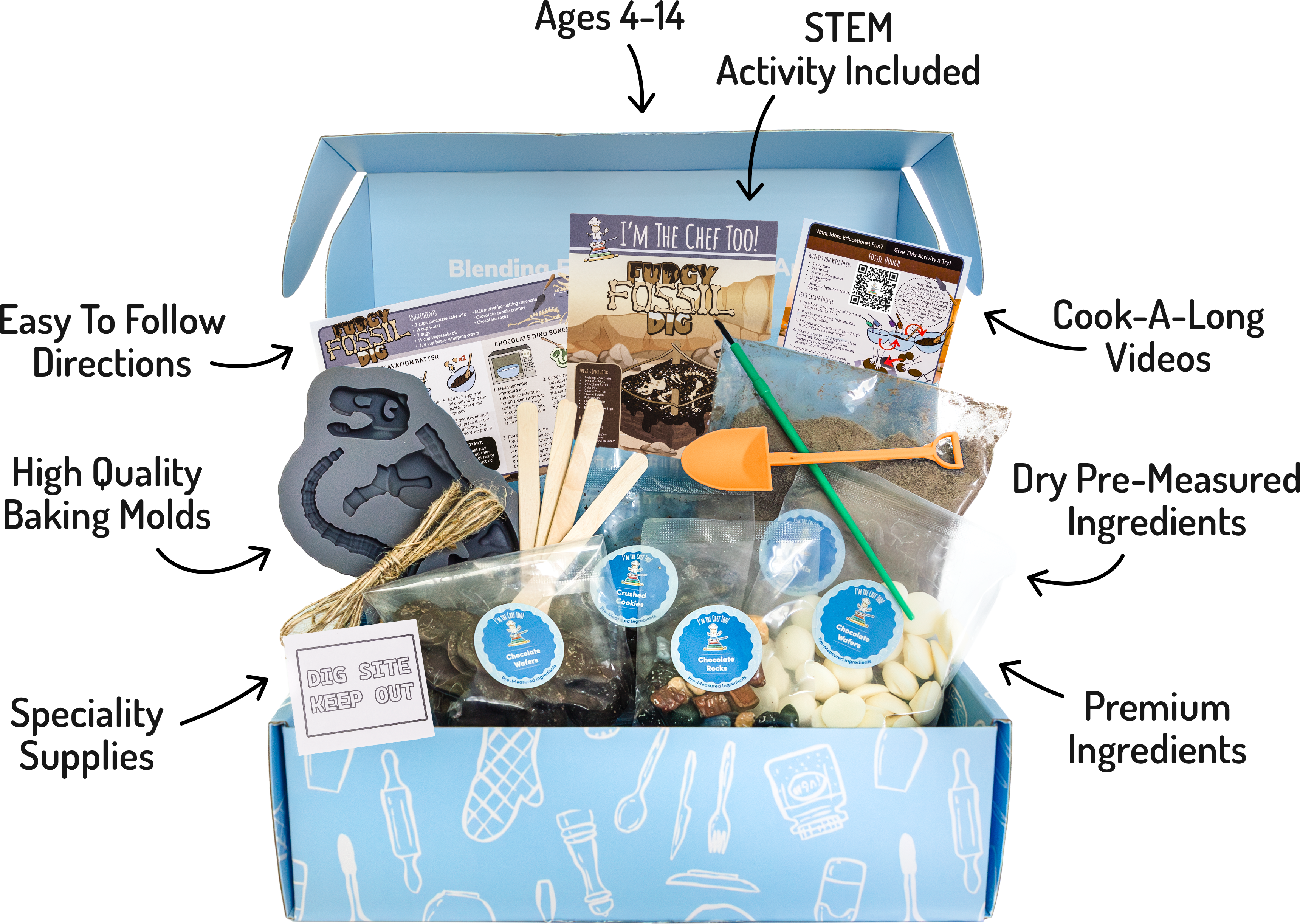
- The Hands-On Connection: To bring the prehistoric world to life, they could try our Fudgy Fossil Dig kit. As they "excavate" their treats, they are practicing the same attention to detail and patience they used to debug their game.
This "multi-channel" learning approach is what makes STEM stick. It takes a single interest and expands it across multiple disciplines, making the educational experience deep and meaningful.
Summary of Project Ideas by Age
To help you choose the right starting point, here is a quick reference table:
| Age Group | Project Idea | Key Skill Learned |
|---|---|---|
| Preschool | Robot Turtles / Chalk Coding | Sequencing & Directional Logic |
| Early Elem. | ScratchJr / Hopster Safari | Decomposition & Storytelling |
| Elementary | Google Logo / AI for Oceans | Animation & Training Models |
| Middle School | HTML/CSS Webpage | Structure & Digital Design |
| Teens | Raspberry Pi / Swift | Hardware & Text-based Coding |
Regardless of the age or the project, the common thread is exploration. We are committed to sparking curiosity and creativity in children, and we believe that the kitchen and the computer are two of the best places to do exactly that.
FAQ: Frequently Asked Questions about Kids' Computer Projects
1. What is the best age to start teaching kids about computers?
Children can start learning the logic of computers as young as 2 or 3 through unplugged games and simple apps. Formal coding with blocks usually starts around age 5 or 6. The key is to keep it play-based and follow their interests.
2. Is coding too hard for a child who struggles with math?
Actually, many children find that coding helps them understand math. Seeing math in action—like using coordinates to move a character—makes abstract concepts tangible. It’s a great way to build math confidence in a low-pressure environment.
3. How can I ensure my child stays safe while working on these projects?
Safety is paramount. For younger kids, use apps like ScratchJr that don't have a social component. For older kids, use platforms with moderated communities. Always keep the computer in a common area of the house and have regular conversations about digital citizenship and what information is okay to share.
4. Do I need an expensive computer for these projects?
Not at all! Many of the best projects, including Scratch, Khan Academy, and Google CS First, run entirely in a web browser and work fine on older laptops or Chromebooks. Unplugged activities and Raspberry Pi projects are also very budget-friendly.
5. My child is more interested in art than math. Are computer projects right for them?
Absolutely! Computer science is a creative field. Many "coders" are actually digital artists, animators, and music producers. Projects like designing a Google logo or creating digital music are perfect for the "A" (Art) in STEAM.
Conclusion
The world of fun computer projects for kids is vast and full of opportunity. Whether your child is just starting out with chalk coding on the driveway or is ready to build their first professional webpage, they are engaging in a process that builds resilience, logic, and creativity. At I'm the Chef Too!, our mission is to blend these STEM concepts with the arts and food to create one-of-a-kind "edutainment" experiences.
We know that as a parent or educator, you want to provide your children with the tools they need to succeed while also making sure they have a childhood filled with wonder and play. By balancing digital projects with hands-on, delicious kitchen adventures, you are giving them the best of both worlds. You are helping them see that they have the power to create, to solve, and to learn—one line of code (or one scoop of flour) at a time.
Are you ready to take the next step in your child's STEM journey? We invite you to bring the adventure home and see how much fun learning can be. Ready for a new adventure every month? Join The Chef's Club and enjoy free shipping on every box. Let’s get cooking and coding!