Table of Contents
- Introduction
- Understanding the Logic Behind Coding
- Unplugged Coding: Projects Without a Screen
- Digital Coding Projects for Different Age Groups
- Blending Coding with STEM and the Arts
- How to Structure a Coding Session at Home or in the Classroom
- The Benefits of Hands-On "Edutainment"
- Overcoming Common Coding Challenges
- Connecting Coding to the "A" in STEAM
- Coding Projects for Groups and Classrooms
- Choosing the Right Kids Coding Project for Your Child
- Conclusion
- FAQ
Introduction
Getting a child to follow a multi-step instruction can sometimes feel like trying to program a computer with a faulty keyboard. We have all been there: you ask your little one to put on their shoes, grab their backpack, and meet you at the door, only to find them five minutes later wearing one sock and staring at a ladybug on the windowsill. This challenge, while occasionally frustrating, is actually the perfect starting point for understanding how computers "think." Coding is essentially the art of giving clear, sequential instructions to achieve a specific goal.
At I'm the Chef Too!, we believe that the best way to teach complex concepts like coding is through "edutainment"—the sweet spot where education meets entertainment. Whether your child is interested in building their own video game or simply curious about how their favorite apps work, a kids coding project is a fantastic way to build logic, persistence, and problem-solving skills. By blending the digital world with hands-on experiences, we can help children see that coding isn't just about screens; it is a universal language of logic that applies to everything from baking a cake to launching a rocket.
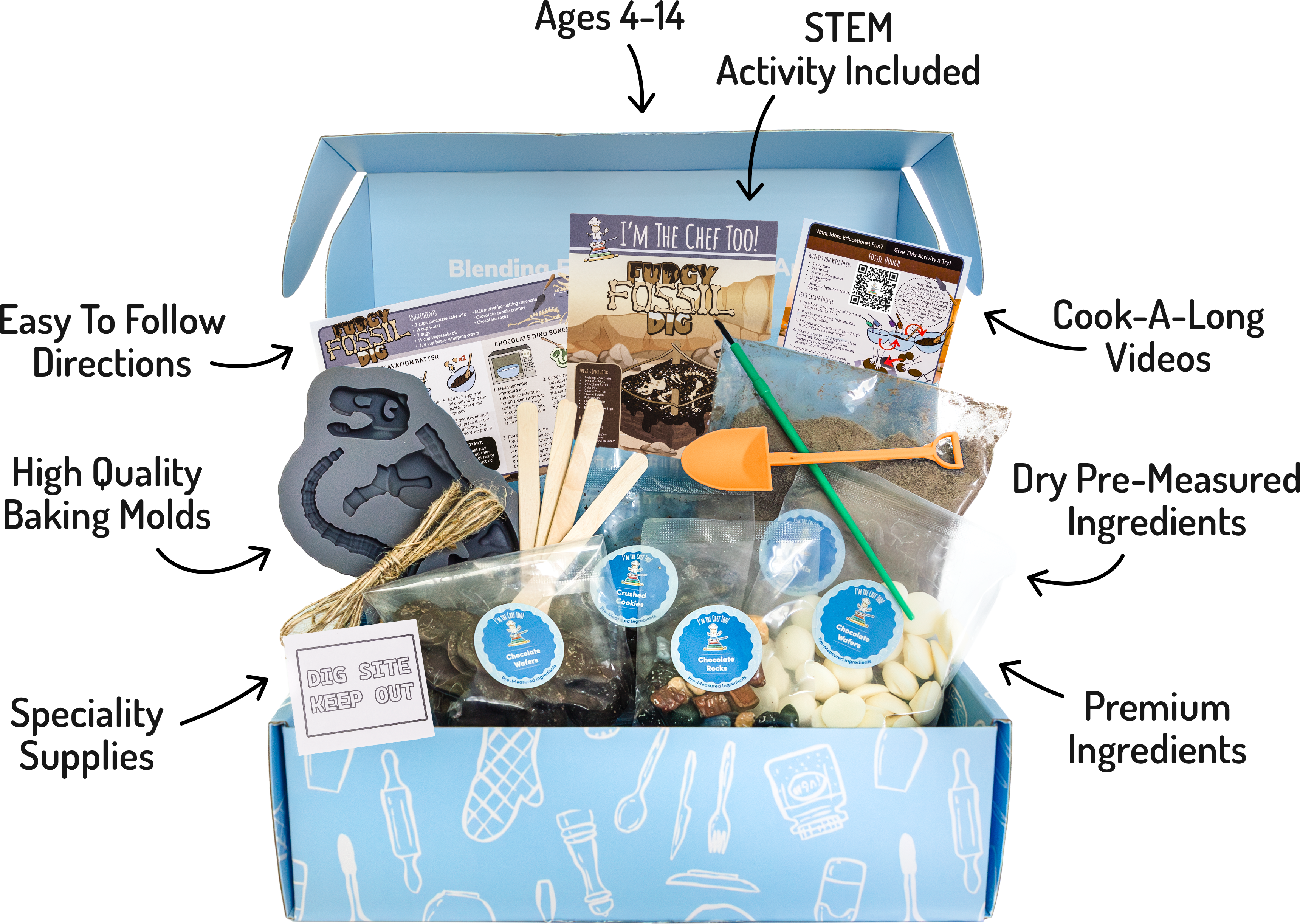
In this guide, we will explore a variety of coding projects ranging from "unplugged" activities that require zero screen time to digital adventures that introduce real programming languages. If you want ready-made learning experiences beyond the computer, you can join The Chef's Club for a new adventure every month.
Coding is the new literacy, and starting with a hands-on project is the best way to ensure your child feels confident navigating a digital future.
Quick Answer: A kids coding project is a structured activity where children use logic, sequencing, and instructions to create a digital or physical outcome. These projects can be "unplugged" (offline activities like recipe-following) or digital (using platforms like Scratch or Python) to teach computational thinking.
Understanding the Logic Behind Coding
Before diving into a specific kids coding project, it is helpful to understand what we are actually trying to teach. Coding is more than just typing symbols into a computer. It is a way of thinking called computational thinking. This approach breaks down complex problems into smaller, manageable parts that a human or a machine can understand.
There are four main pillars of computational thinking that every coding project helps to develop:
- Decomposition: Breaking a big task into smaller steps. For example, "making breakfast" is a big task, but "toasting bread" and "spreading jam" are smaller, easier steps.
- Pattern Recognition: Noticing things that repeat. If you need to add a "sprinkle of salt" to four different bowls, you are recognizing a repeating pattern.
- Abstraction: Focusing on the important information while ignoring the details that don't matter.
- Algorithms: Creating a step-by-step list of instructions to complete a task. A recipe is the perfect real-world example of an algorithm.
By focusing on these four pillars, a kids coding project becomes a lesson in how to solve any problem, not just a lesson in technology. When we teach children these skills early on, we are giving them a toolkit for life.
Unplugged Coding: Projects Without a Screen
Many parents are surprised to learn that you can start a kids coding project without touching a tablet or a laptop. "Unplugged" coding is a great way to introduce the concepts of logic and sequencing to younger children or to provide a screen-free break for older students. It removes the distraction of the device and focuses entirely on the logic.
The "Robot Parent" Challenge
One of the most effective and hilarious ways to teach coding is the Robot Parent game. In this activity, the child acts as the "coder" and the adult acts as the "robot." The robot can only do exactly what the coder says.
If the child wants the robot to make a peanut butter and jelly sandwich, they might say, "Put the peanut butter on the bread." As the robot, you might pick up the entire jar and place it on top of the loaf of bread. The child will quickly realize their instruction wasn't specific enough. They have to "debug" their code by saying, "Open the jar, take out a spoonful, and spread it on one slice of bread."
This project teaches:
- Precision in language
- Sequential thinking
- Debugging (fixing errors)
Recipe Algorithms and Kitchen Science
At I'm the Chef Too!, we see every recipe as a beautiful, edible algorithm. When you follow a recipe to make something like our Wild Turtle Whoopie Pies, you are essentially "running code." The ingredients are your data, and the instructions are your script.
If you miss a step—like forgetting the leavening agent—the "output" (the dessert) won't turn out right. This is a powerful way to show children that the order of operations matters. You can turn any kitchen session into a kids coding project by asking your child to write out the "code" for a simple snack before they make it. Have them use "If-Then" logic: "If the toast is golden brown, then take it out. If it is still pale, then wait 30 seconds."
Key Takeaway: Unplugged coding projects prove that computational thinking is about logic and sequencing, which can be practiced through everyday activities like cooking or playing games.
Digital Coding Projects for Different Age Groups
Once a child understands the basic logic of sequencing, they are often eager to see their ideas come to life on a screen. The key to a successful digital kids coding project is matching the platform and the complexity to the child's developmental stage.
Early Elementary (Ages 5-8): Visual Block-Based Coding
For younger children, typing out lines of code can be a barrier to entry because of spelling and syntax. Visual block-based coding solves this by using colorful blocks that snap together like puzzle pieces. Each block represents a command (like "move forward," "turn left," or "repeat").
Project Idea: Animate Your Name Using a platform like ScratchJr or the standard Scratch interface, children can create a project where each letter of their name does something different when clicked. One letter might spin, another might change color, and another might make a sound.
This project introduces:
- Events: "When this sprite is clicked, do this."
- Loops: Making an action repeat forever or a certain number of times.
- Coordinates: Understanding where objects are on a 2D plane.
Upper Elementary (Ages 9-12): Game Design and Logic
As children get older, they want to create more interactive experiences. Game design is the ultimate kids coding project because it requires a deep understanding of logic, "if-then" statements, and variables.
Project Idea: The Simple Maze Game In this project, the child creates a character that the player controls using the arrow keys. They must navigate a maze without touching the walls. If the character touches a wall, they are sent back to the start.
This project introduces:
- Conditional Logic: "If touching color black, then go to starting position."
- Variables: Creating a "Score" or a "Timer" that changes as the game progresses.
- Sensing: How the computer detects interaction between different objects.
Middle School and Beyond: Real-World Languages
For older students, moving from blocks to text-based languages like Python or JavaScript is an exciting transition. Python is often recommended as a first text language because its syntax is very close to English.
Project Idea: A Digital Pet or Chatbot Using Python, a student can write a program that interacts with a user. The "pet" might ask, "Are you going to feed me?" If the user types "yes," the pet's "hunger variable" decreases. If the user says "no," the pet might send a sad message.
This project introduces:
- Syntax: The specific rules of how to type code.
- Data Types: Understanding the difference between a string (text) and an integer (number).
- Functions: Groups of code that can be reused throughout the program.
Blending Coding with STEM and the Arts
The most engaging kids coding project is often one that doesn't live in a vacuum. When we combine coding with science, technology, engineering, math (STEM), and the arts, we create a richer learning environment. This is the "A" in STEAM, and it is where creativity really shines.
Geometry and Digital Art
Coding is a fantastic tool for exploring geometry. Many coding platforms include a "pen" feature that allows a character to draw as it moves. To draw a square, a child has to understand that the character needs to move forward and turn 90 degrees four times. To draw a circle, they might move a tiny bit and turn 1 degree 360 times.
This connection between math and art is exactly what we explore in projects like our Galaxy Donut Kit. While that kit focuses on the physical art of galaxy glazing and the science of space, the concept of creating patterns and using symmetry is identical to what a child does when coding digital art.
Biology and Sequencing
You can even use coding concepts to understand biology. DNA is essentially the "code" of life. It provides the instructions for how every living thing grows and functions. A kids coding project could involve "coding" a physical model of a plant's life cycle.
- Input: Water and Sunlight.
- Process: Photosynthesis.
- Output: Oxygen and Growth.
By framing nature through the lens of inputs and outputs, children begin to see the logical structures that exist in the world around them.
How to Structure a Coding Session at Home or in the Classroom
If you are a parent or educator looking to start a kids coding project, having a plan can help manage the "messiness" of learning a new skill. Coding involves a lot of trial and error, and it is important to create an environment where "bugs" are seen as opportunities, not failures.
Step 1: Define the Goal
Start with a clear, small goal. Instead of saying, "Let's build a video game," try "Let's make a character that moves across the screen." Small wins build the confidence needed for bigger challenges.
Step 2: Plan it Out (On Paper)
Before touching the computer, have the child draw their ideas. If they are making a game, what does the character look like? What happens if they win? This planning phase is crucial for teaching "abstraction"—focusing on the big ideas before getting bogged down in the code.
Step 3: Build and Test
Encourage the child to write a few lines of code and then test them immediately. This "iterative" process is how professional developers work. It makes it much easier to find where a mistake happened.
Step 4: The Gallery Walk
Whether you are at home or in a classroom, let the child "show off" their kids coding project. Explaining how their code works to someone else is a powerful way to solidify their learning. It also builds communication skills and pride in their work.
Bottom line: Structuring a coding project with clear goals and a "test-as-you-go" mentality helps children stay engaged and reduces frustration during the learning process.
The Benefits of Hands-On "Edutainment"
At I'm the Chef Too!, we are passionate about getting kids away from passive screen time and into active, hands-on learning. While digital coding is a screen-based activity, the mindset it fosters is one of active creation. We want kids to be the "architects" of the digital world, not just the "consumers" of it.
When kids work on a coding project, they aren't just learning a technical skill. They are learning:
- Resilience: Coding rarely works the first time. Learning to keep trying is a vital life skill.
- Logic: They learn how to think through a problem step-by-step.
- Confidence: There is a unique "aha!" moment when a child finally fixes a bug and their project works perfectly.
- Creativity: Coding is a form of self-expression. It is a canvas where anything is possible.
We see this same transformation in our kitchen-based STEM kits. When a child sees their Erupting Volcano Cakes actually "erupt" because they followed the chemical "instructions" (the recipe) correctly, they feel a sense of mastery and wonder. Whether it is a kitchen counter or a computer screen, the thrill of creating something functional and fun is the same.
Overcoming Common Coding Challenges
It is completely normal for a kids coding project to hit a few speed bumps. Coding can be meticulous, and sometimes a single missing bracket or a misplaced block can cause the whole program to stall.
Dealing with "Bugs"
The first thing to teach any young coder is that "bugs" are a natural part of the process. In fact, professional programmers spend a huge portion of their time debugging! When your child gets stuck, encourage them to read their code out loud. Often, hearing the instructions helps them spot the logical error.
Keeping it Screen-Free
If you feel your child is spending too much time on a device, pivot back to an unplugged project. You can "code" a dance routine using index cards with instructions like "Jump," "Spin," and "Clap." Then, use a "Repeat" card to show how loops work in real life. This keeps the coding concepts fresh without the blue light.
Finding the Right Resources
You don't have to be a computer scientist to help your child with a kids coding project. There are countless free tools designed specifically for parents and educators. Look for platforms that offer "sandboxes" where kids can play and experiment without fear of breaking anything. For more inspiration, Kid's STEM: Unlock Learning & Fun shows how hands-on activities support confidence and curiosity.
Myth: Coding is only for kids who are good at math. Fact: Coding is a language and a logic puzzle. While it uses some math, it is primarily about creativity, sequencing, and problem-solving, making it accessible to kids with all kinds of interests.
Connecting Coding to the "A" in STEAM
We often talk about STEM, but we believe the "A" for Arts is what makes learning stick. A kids coding project is the perfect place to blend these worlds. In a digital project, the art might be the character design or the music. In a hands-on project, it might be the way a dish is plated or the colors used in a scientific experiment.
For example, when children use our Galaxy Donut Kit, they are learning about the physics of the universe, but they are also using artistic techniques to create stunning, edible nebulas. If they were to code a digital version of this, they would use algorithms to generate those same swirling colors. By showing kids how the same concepts apply to both a kitchen and a computer, we make the world feel more connected and understandable.
Coding Projects for Groups and Classrooms
Educators and homeschool co-ops can use coding projects to teach collaboration. Coding is rarely a solitary activity in the real world; it involves teams working together to solve big problems.
Pair Programming
This is a technique where two students work on one kids coding project together. One is the "driver" (the one typing or moving blocks) and the other is the "navigator" (the one reviewing the code and thinking about the next steps). They switch roles every 10 or 15 minutes. This teaches communication and teamwork.
Large-Scale Algorithms
For a classroom, you can create a "Human Computer." One student is the "processor," and the others provide instructions to move the processor through an obstacle course. This is a high-energy way to demonstrate how computers execute code line-by-line.
If you are teaching in a group setting, our school and group programmes are designed to support shared learning and collaboration.
Choosing the Right Kids Coding Project for Your Child
The "perfect" project is the one that aligns with your child's current obsession.
- The Storyteller: Focus on a project that involves creating a digital story or a comic strip with multiple scenes.
- The Gamer: Focus on building a simple platformer or a "clicker" game where they have to earn points.
- The Scientist: Focus on "unplugged" coding that involves categorizing nature or following complex experiments.
- The Artist: Focus on "Turtle Graphics" or digital art programs that use math to create patterns.
By following their lead, you ensure that the learning feels like play. This is the heart of our mission at I'm the Chef Too!. We want to help you create memories where the learning is real, the experience is fun, and the "edutainment" is something the whole family looks forward to every month. If you are ready for more, browse our full kit collection to find the perfect next project.
Conclusion
A kids coding project is more than just a way to fill an afternoon; it is a gateway to a new way of thinking. By breaking down the barriers between "digital" and "physical," we can show children that the logic they use to build a website is the same logic they use to navigate the world around them. From the "unplugged" fun of a kitchen algorithm to the digital excitement of game design, every step of the coding journey builds confidence and critical thinking.
At I'm the Chef Too!, we are dedicated to making these educational moments delicious and hands-on. Whether you are exploring the stars with our Galaxy Donut Kit or "coding" your way through a new recipe, we are here to help you turn your home into a laboratory of curiosity. Our Chef's Club subscription is designed to deliver these "edutainment" experiences right to your door, making it easy to weave STEM, coding logic, and the arts into your family's routine.
- Start small with an unplugged "Robot Parent" game.
- Transition to visual blocks like Scratch for digital creativity.
- Always look for the connection between the code and the real world.
"Coding is the language of the future, but the logic of coding is the language of today."
Are you ready to start your next adventure? Explore our one-time kits or join the club to keep the learning and the fun going all year long!
FAQ
What age is best to start a kids coding project?
Children as young as 4 or 5 can start with "unplugged" coding activities that focus on simple sequencing and direction. By age 6 or 7, most children are ready for visual, block-based coding platforms like ScratchJr. The key is to keep the focus on logic and play rather than complex typing or syntax.
Do I need to be a programmer to help my child learn to code?
Not at all! Many of the best coding projects for beginners are designed for parents and children to learn together. You can act as a "debugger" by asking your child to explain their logic out loud, which often helps them find their own mistakes. There are also many "unplugged" activities, like our kitchen-based experiments, that teach the foundational logic of coding without requiring any technical knowledge.
Can coding be taught without a computer?
Yes, this is called "unplugged" coding. You can teach core concepts like algorithms, loops, and conditional logic (If-Then statements) through games, dance, or even following a recipe. These activities help children understand the "how" and "why" of coding before they ever move to a screen.
How does coding relate to STEM and the arts?
Coding is a tool that helps children explore all areas of STEAM (Science, Technology, Engineering, Arts, and Math). It uses math for coordinates and geometry, science for understanding inputs and outputs, and the arts for character design and creative storytelling. Blending these subjects makes the learning more relevant and engaging for children with diverse interests. For more ideas, Cooking Up Curiosity: Engaging Kids with STEM Cooking connects hands-on kitchen learning with STEM thinking.