Table of Contents
- Introduction
- Why Cricut Kids Crafts Belong in Your Learning Routine
- Safety and Setup: Creating a Kid-Friendly Maker Space
- Engaging Projects for Young Helpers (Ages 4–7)
- Intermediate Projects for Tweens (Ages 8–12)
- Advanced Crafting for Teens (Ages 13+)
- The Kitchen Connection: Where Crafting Meets STEM
- Tips for Educators and Homeschoolers
- Overcoming Common Crafting Hurdles
- Planning a "Maker Saturday"
- Making Memories Through Making
- Conclusion
- FAQ
Introduction
Standing over a sleek cutting machine while your child watches with wide-eyed wonder is a scene many parents recognize. You might be hesitant to let those small hands near your expensive crafting equipment, but that curiosity is the perfect spark for a weekend of "edutainment." At I'm the Chef Too!, we believe that the best learning happens when children transition from being passive observers to active creators. If you want a screen-free way to keep that momentum going, join The Chef's Club for a new hands-on adventure every month.
This guide explores how to safely and effectively use your cutting machine to facilitate engaging cricut kids crafts. We will cover age-appropriate projects, the hidden STEM concepts behind every cut, and how to bridge the gap between digital design and hands-on making. By the end of this article, you will see your crafting space as more than just a hobby corner—it is a laboratory for creativity and critical thinking.
Why Cricut Kids Crafts Belong in Your Learning Routine
Introducing children to a cutting machine is about more than just making "pretty things." It is a practical application of technology that mimics real-world engineering and design processes. When we invite children into the "maker" space, we are teaching them that the devices in our homes are tools for creation, not just consumption. For families who love hands-on learning, our cooking STEM adventures show how science and creativity can come together in the kitchen.
The Science of Precision
Every time a child helps select a material setting, they are learning about material science. Why does the blade need more pressure for glitter cardstock than for thin vellum? This simple question introduces concepts of density, thickness, and friction. In our kitchen adventures, we often talk about how different ingredients react to heat or moisture; in the craft room, we talk about how different surfaces react to a blade.
Mathematical Foundations
Crafting with a Cricut involves a significant amount of geometry and spatial reasoning. Children must understand how a 2D shape on a screen translates into a 3D object in their hands. When they resize a sticker or a card, they are practicing scaling and proportions—core mathematical concepts that often feel abstract in a classroom but become tangible in a craft project.
Creative Problem Solving
Not every craft goes perfectly on the first try. Perhaps the vinyl didn't weed correctly, or the cardstock ripped because the mat was too sticky. These moments are "teachable moments" in disguise. They teach children the scientific method: form a hypothesis about what went wrong, test a new setting, and observe the results. This builds the resilience and confidence they need for more complex STEM subjects later in life.
Key Takeaway: Using a Cricut with children transforms a digital design into a tactile learning experience that reinforces geometry, material science, and the scientific method.
Safety and Setup: Creating a Kid-Friendly Maker Space
Before diving into specific cricut kids crafts, it is essential to establish a safe environment. This ensures the experience remains joyful and stress-free for both the adult and the child. If you like turning creative time into a bigger learning routine, our crafting-for-kids guide is a helpful next step.
Establishing the "Safety Zone"
Clearly define where a child can stand and touch. While the machine is running, the moving carriage can be a pinch hazard. Explain that the "magic" happens inside the machine, but our hands stay on the table. For younger children, having them sit in a designated "observation chair" while the blade is active helps manage their excitement.
Choosing Child-Safe Tools
While the weeding tools and spatulas are exciting, they can be sharp. For younger children, consider these alternatives:
- Plastic Scrapers: Great for burnishing vinyl or cleaning the mat without sharp edges.
- Blunt-Tip Tweezers: Useful for picking up small paper scraps during assembly.
- Glue Sticks over Hot Glue: For projects requiring assembly, start with high-quality glue sticks or double-sided tape to avoid burns.
Material Management
Start with affordable materials like cardstock or construction paper. This lowers the stakes for everyone. If a cut goes wrong, it is a cheap lesson in settings rather than a wasted sheet of expensive specialty vinyl. Keeping a "scrap bin" specifically for children allows them to practice weeding or sticking without using your "good" supplies.
Engaging Projects for Young Helpers (Ages 4–7)
At this age, children are building fine motor skills and learning to follow multi-step instructions. They should not be operating the software or the machine alone, but they can be the "Chief Assembly Officers" for your projects.
Custom Coloring Pages
One of the easiest ways to get a young child excited is to let them "design" their own coloring book. In the design software, you can choose "draw" instead of "cut." Let your child pick their favorite animals or shapes.
- Select the "Pen" tool in the software.
- Watch the machine draw the outlines.
- Provide a variety of mediums like watercolors or markers for the child to finish the art.
This activity teaches them that technology can create custom tools for their own artistic expression. It bridges the gap between digital "clipart" and physical art.
Sticker Empowerment
Kids love stickers, but making them is even better. Use the "Print Then Cut" feature to create stickers of their own drawings. Have them draw a picture on white paper, scan it (or take a photo), and then use the Cricut to cut out the shapes.
- STEM Connection: This introduces the concept of "optical sensors." You can explain how the machine "sees" the black registration marks to know exactly where to cut.
- Artistic Skill: It validates their personal artwork by turning it into a "real" product they can use to decorate their water bottles or notebooks.
Paper Doll and Puppet Assembly
Cut out various shapes for paper dolls or spoon puppets. Your child’s job is to glue the pieces together. This requires them to look at a reference image and understand how pieces fit together to form a whole—a foundational skill for engineering and architecture.
Bottom line: For young children, the focus should be on the transition from digital output to physical assembly, emphasizing fine motor skills and following sequences.
Intermediate Projects for Tweens (Ages 8–12)
By this age, many children have the digital literacy to start exploring the software side of cricut kids crafts. This is where you can introduce more complex STEM concepts and give them more autonomy.
Personalized Reading Kits
Encouraging literacy is easy when a child has "cool" gear. Help your tween design a reading kit that includes a personalized bookmark and a "reading log" tracker.
- The Design Phase: Let them experiment with fonts and "slice" tools in the software. This is a great time to talk about digital layout and graphic design.
- The Material Phase: Introduce different types of cardstock—glitter, foil, and textured. Discuss why some materials are harder to cut than others.
- The Assembly: Have them use tassels or ribbons to finish the bookmarks, adding a lesson in knots and textiles.
3D Paper Engineering
Moving from 2D to 3D is a massive leap in cognitive development. Use the machine to cut out templates for 3D boxes, paper flowers, or even small buildings.
- Step 1: Select a 3D project in the software.
- Step 2: Use a scoring tool. This is a perfect moment to explain the physics of a fold—how compressing the paper fibers makes it easier to bend without tearing.
- Step 3: Have the child assemble the 3D object. If it doesn't stand up, ask them why. Does it need more support at the base? This is structural engineering in its simplest form.
Vinyl Labels for Organization
Tweens often start craving their own space. Give them a sheet of removable vinyl and let them label their bins, drawers, or school supplies.
- Measurement Lesson: They must measure the area they want to label using a ruler and translate those dimensions into the software. This is a real-world application of "area" and "length."
- Weeding Practice: Weeding (removing the excess vinyl) is an incredible exercise for hand-eye coordination and patience.
Advanced Crafting for Teens (Ages 13+)
Teens can often use the machine with minimal supervision once they understand the safety protocols. For this age group, focus on projects that have a "real world" utility or could even be the start of a small business. If your teen likes ambitious hands-on making, our galaxy-themed craft ideas can help extend that creativity into edible STEM play.
Fashion Design and Heat Transfer Vinyl (HTV)
Teens love expressing their identity through clothing. Using HTV to customize t-shirts, tote bags, or hats is a high-reward project.
- The "Mirror" Rule: One of the most important lessons in HTV is that you must mirror your image before cutting. This is a great spatial reasoning challenge. Why does it need to be flipped? Because we are cutting from the back of the material.
- Temperature Science: Using a heat press or iron introduces thermodynamics. Different materials require different temperatures and "dwell times" (how long the heat is applied) to ensure the adhesive bonds correctly.
Jewelry Making with Faux Leather
With the right blade, a Cricut can cut faux leather and even thin real leather. Teens can design and cut their own earrings or bracelets.
- Entrepreneurial Spark: Many teens find success selling these items at local craft fairs or to friends. This introduces basic business concepts: cost of materials vs. sale price, time labor, and marketing.
- Precision and Detail: Cutting intricate jewelry designs shows them the limitations and capabilities of modern manufacturing tools.
Decorative Home Accents
From stenciling a wooden sign for their room to creating intricate paper lanterns, teens can use the machine to transform their environment. Stenciling, in particular, is a great lesson in "negative space"—understanding that what you cut away is just as important as what stays.
Key Takeaway: As children grow, their involvement should shift from assembly to design and production, allowing them to see the full lifecycle of a product from a digital idea to a finished, functional item.
The Kitchen Connection: Where Crafting Meets STEM
At I'm the Chef Too!, we love to see how different creative worlds collide. Your Cricut is actually one of the best tools you can have for your kitchen-based STEM adventures. When we blend food, science, and the arts, we create a multi-sensory learning experience that sticks. If you want an easy way to keep that learning rhythm going, browse our full kit collection.
Customizing Your Chef Gear
Before starting a new monthly subscription box from The Chef's Club, why not make the experience feel official? You can use your machine to create iron-on name decals for your child’s apron. This simple act of personalization builds a "scientist's identity." When a child puts on a customized apron, they are stepping into the role of a chef and a researcher.
Scientific Labeling
If you are working on a kitchen chemistry experiment—like those found in our Erupting Volcano Cakes kit—organization is key. You can use your Cricut to create vinyl labels for your "concoctions."
- Labeling Acids vs. Bases: Create icons for vinegar (acid) and baking soda (base).
- Safety Symbols: Talk about why real scientists label everything in a lab and create your own "caution" stickers for the "lava" ingredients.
Educational Place Mats
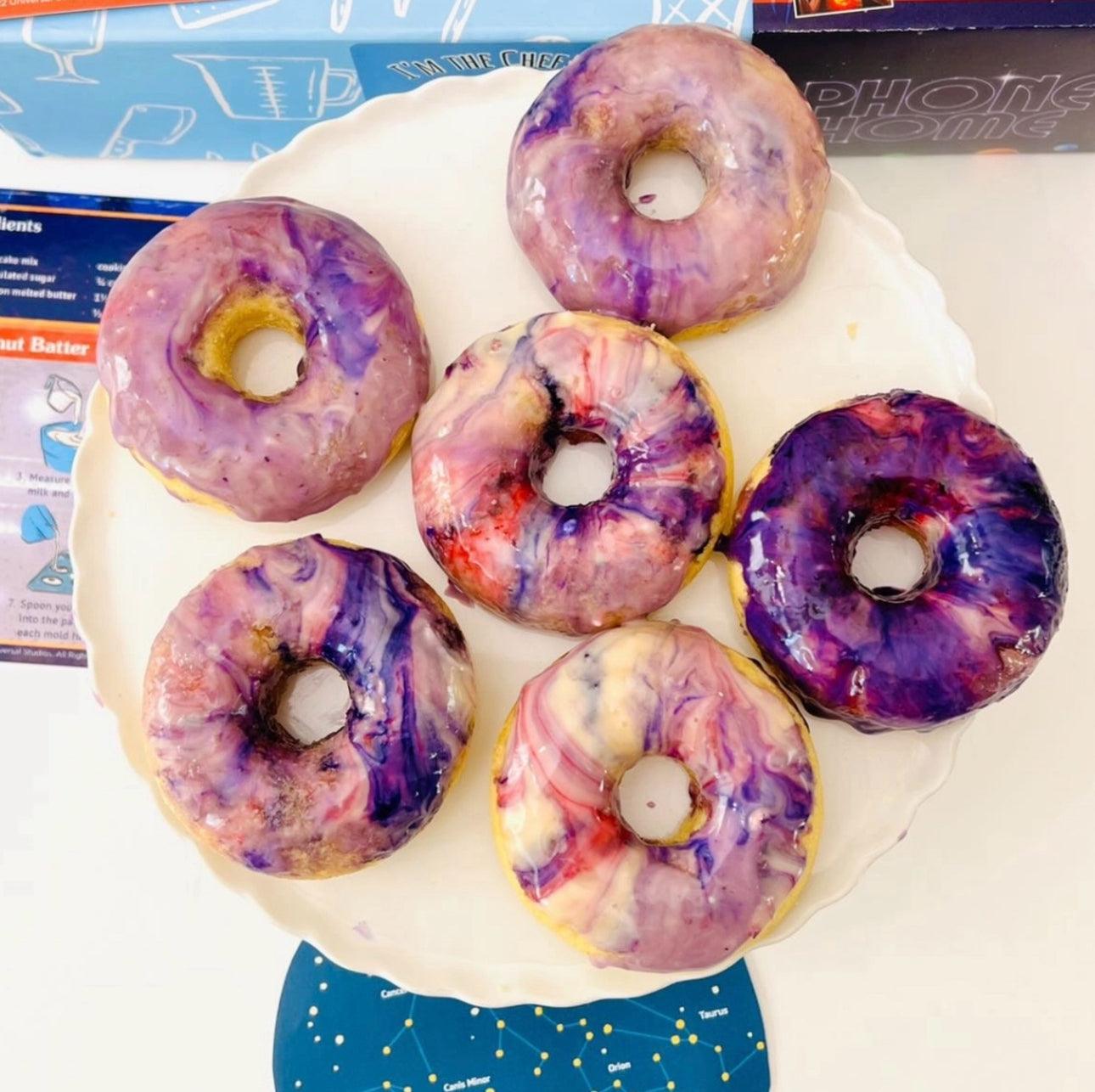
If you are exploring space with something like the Galaxy Donut Kit, use your machine to cut out cardstock planets or a solar system place mat. Your child can help position the planets in the correct order from the sun while the donuts are in the oven. This turns wait time into learning time.
The Art of the Menu
For educators or homeschoolers, have children create a formal menu for the meal or treat they have made. Using the "Write" feature, the machine can create beautiful, professional-looking menus. This incorporates language arts and graphic design into the culinary lesson.
Bottom line: Integrating your cutting machine into your kitchen activities bridges the gap between different STEM disciplines, making the learning feel cohesive and "real world."
Tips for Educators and Homeschoolers
If you are using a Cricut in a classroom or a homeschool co-op, the dynamics change. You are often managing multiple skill levels and limited time. For a deeper look at bringing hands-on learning into group settings, our schools and groups programme is designed for exactly that kind of environment.
The "Assembly Line" Method
If you are doing a group project, such as creating a "Reading Robot" kit for twenty students, use the Cricut to pre-cut all the components. This allows you to focus the classroom time on the engineering of the assembly and the discussion of the concepts, rather than the mechanical act of cutting.
Peer Teaching
If you have a student who has mastered the software, let them be the "Design Consultant" for their classmates. Peer-to-peer teaching is one of the most effective ways to solidify knowledge. It builds leadership skills and allows the teacher to focus on the students who might be struggling with the tactile assembly.
Connecting to the Curriculum
Don't just craft for the sake of crafting. Connect the project to what you are currently studying:
- History: Create cardstock models of historical landmarks or "paper doll" versions of historical figures.
- Biology: Use the machine to cut out the layers of a plant cell or a human heart for students to assemble.
- Math: Cut out "fraction tiles" or geometric shapes that students can manipulate to solve problems.
Our school and group programmes often emphasize this kind of hands-on, curriculum-aligned learning. By using tools like a Cricut alongside our STEM kits, you can create a truly immersive educational environment.
Overcoming Common Crafting Hurdles
Crafting with kids isn't always smooth sailing. Here is how to handle the most common challenges without losing your cool.
The "I Messed It Up" Meltdown
When a cut goes wrong, it can be frustrating for a child. Reframe this as a "bug in the system." Scientists and engineers spend most of their time fixing bugs. Ask: "What can we change in the settings to help the machine next time?" This moves the focus from "failure" to "iteration."
Managing the Mess
Cutting machines create a lot of tiny paper scraps.
- The Scrap Challenge: See who can collect the most "off-cuts" in a minute.
- Repurposing: Save those tiny bits of vinyl or paper for a future "mosaic" art project.
- Sticky Mats: Teach children how to use the scraper tool to clean the mat after a project. This teaches responsibility and care for tools.
Screen Time Balance
While the design happens on a screen, the goal is the physical output. Limit the design phase to 15–20 minutes so the majority of the time is spent with the physical materials. This ensures the activity remains a "hands-on" experience rather than another hour of passive screen time. If you want a fresh idea to pair with that maker time, our kid-friendly recipes and learning adventures are a good place to start.
Planning a "Maker Saturday"
If you want to dedicate a full morning to cricut kids crafts, structure it like a mini-workshop. This prevents overwhelm and keeps the energy high.
Step 1: The Inspiration Phase. / Spend 10 minutes looking at projects together. Ask your child what "problem" they want to solve today (e.g., "My pencils are always messy" or "I want my water bottle to look unique").
Step 2: The Design Lab. / Work together to set up the file. Let the child click the buttons while you guide their hand. Talk about the shapes and colors being used.
Step 3: The Production Run. / Load the mat and watch the machine work. This is the perfect time for a quick snack or a "kitchen science" conversation while the blade does the heavy lifting.
Step 4: The Assembly Session. / Clear the table and lay out all the pieces. Put on some music and work together to glue, weed, or press the final product.
Step 5: The Show and Tell. / Have the child explain how they made the item. This reinforces their learning and gives them a sense of pride in their accomplishment.
Key Takeaway: A structured approach to crafting ensures that the "edutainment" value is maximized while keeping the environment organized and productive.
Making Memories Through Making
At the heart of every craft project is the time spent together. Whether you are using your machine to decorate a pair of Wild Turtle Whoopie Pies boxes or creating a custom set of leather earrings, you are building more than just objects. You are building a child’s belief that they can interact with the world and change it.
Our mission at I'm the Chef Too! is to make every learning moment feel like a celebration. We want to take those "intimidating" STEM concepts and turn them into something your child can taste, touch, and see. By bringing a Cricut into your family activities, you are providing another layer to that delicious education. And if you want that kind of learning to show up on repeat, join The Chef's Club for a new monthly adventure.
As you look at your machine today, don't just see a tool for your own hobbies. See a bridge to your child’s next big "aha" moment. Whether they are four or fourteen, there is a project waiting to be cut that will spark their curiosity and build their confidence.
Bottom line: Crafting with a cutting machine is an accessible way to introduce high-level STEM concepts like design thinking, thermodynamics, and geometry in a way that feels like pure play.
Conclusion
Cricut kids crafts offer a unique intersection of technology, art, and engineering. From the simplest stickers for a preschooler to complex 3D structures for a teen, these projects teach children that they have the power to bring their digital ideas into the physical world. By focusing on the process rather than just the final product, you foster a "growth mindset" that will serve them in every future academic endeavor.
We believe that learning should be a hands-on adventure that the whole family looks forward to every month. Our goal is to provide the spark that turns a regular afternoon into an extraordinary discovery.
- Start small: Use cardstock for your first few projects to keep it low-stress.
- Connect it: Link your crafts to your current kitchen or school activities for deeper learning.
- Celebrate the "bugs": Use mistakes as a chance to teach the scientific method.
Ready to take your hands-on learning to the next level? Explore The Chef's Club and see how our monthly kits can complement your crafting journey with edible STEM adventures delivered right to your door.
FAQ
What age is appropriate for a child to start using a Cricut?
Children as young as four can participate as "helpers" by choosing designs and assembling pre-cut pieces under adult supervision. By ages 8–10, many children can begin learning the basics of the design software, and by 13, they can often operate the machine independently after thorough safety training.
Is it safe for kids to be around the cutting machine while it's on?
Yes, as long as they understand the "hands-off" rule while the carriage is moving. The machine should always be placed on a sturdy, flat surface out of the reach of very young children, and an adult should always supervise the loading and unloading of mats to prevent finger pinches.
Do I need special software for kids to design their own crafts?
Most users use the standard Design Space software provided by the manufacturer. For children, it is helpful to use a tablet with a touch screen rather than a mouse, as it feels more intuitive for them to "drag and drop" shapes and resize them with their fingers.
What are the best "beginner" materials for cricut kids crafts?
Cardstock and construction paper are the best starting points because they are inexpensive and easy to handle. Removable vinyl is also a great choice for kids because it allows them to decorate their belongings with the option to change the design later without leaving a permanent residue.