Table of Contents
- Introduction
- The Magic of Turning Digital Dreams into Reality
- Getting Started: The Basics for Parents and Educators
- Beginner-Friendly Projects to Build Confidence
- Functional Projects: Solving Problems Around the House
- STEM and Educational Projects: Learning Through Objects
- Toys and Play: Bringing Imagination to Life
- The Art and Science of Design
- Troubleshooting: Turning "Oops" into "Aha!"
- Connecting 3D Printing to Other STEM Fields
- Tips for Parents and Educators: Success Strategies
- Making Learning Delicious and Hands-On
- Conclusion
- FAQ
Introduction
There is a specific kind of magic that happens when a child sees a digital idea turn into a physical object. You might notice it when they finish their first drawing or build a complex tower out of blocks. But when a 3D printer starts humming, laying down thin layers of plastic to create a toy or a tool they designed themselves, that magic reaches a whole new level. It is the moment where "what if" becomes "here it is," and for a young mind, that transition is incredibly empowering.
At I'm the Chef Too!, we believe that the best way to learn is by doing, whether that involves mixing ingredients in a bowl or watching a 3D printer bring a character to life. We focus on blending STEM, the arts, and hands-on experiences to make learning feel like an adventure rather than a chore. This guide explores how 3D printing can serve as a powerful educational tool in your home or classroom. We will cover beginner-friendly projects, functional items, and complex STEM-based challenges that keep kids engaged for hours.
Our goal is to show you how these projects build confidence, teach patience, and encourage the kind of creative problem-solving skills that last a lifetime. By the end of this article, you will have a clear roadmap for introducing 3D printing to the children in your life through projects that are as fun as they are educational.
The Magic of Turning Digital Dreams into Reality
3D printing bridges the gap between abstract concepts and tangible results. When a child works on a digital screen, they are often interacting with things they cannot touch. 3D printing changes that dynamic by allowing them to hold their ideas in their hands. This process helps develop spatial reasoning, which is the ability to visualize and manipulate objects in three dimensions. It is a core skill for future engineers, architects, and artists.
Hands-on learning fosters a deep sense of ownership. When a child chooses the colors, adjusts the size, and monitors the progress of a 3D print, they become the lead investigator in their own laboratory. This is very similar to how we approach our cooking kits; when a child creates something from scratch, they are more likely to understand the science behind it. In 3D printing, they aren't just consumers of technology; they are creators.
Patience and persistence are built into every layer. A 3D print does not happen instantly. It requires calibration, waiting, and sometimes, starting over when a print fails. These "failed" prints are not actually failures; they are data points. They teach children that mistakes are part of the scientific method. Learning to troubleshoot a clogged nozzle or a lifting print bed is a masterclass in resilience that translates to every other area of their education.
Key Takeaway: 3D printing is more than a tech hobby; it is a gateway to developing spatial reasoning, resilience, and a creator’s mindset through tangible results.
Getting Started: The Basics for Parents and Educators
You do not need to be a tech expert to start 3D printing with kids. Most modern 3D printers designed for home or school use are very user-friendly. The most common type is an FDM (Fused Deposition Modeling) printer, which works by melting a plastic filament and extruding it through a nozzle. For children, we always recommend using PLA (Polylactic Acid) filament because it is biodegradable, made from renewable resources like corn starch, and does not produce harsh fumes.
Safety is the first priority in any maker space. Just like in the kitchen, there are "hot zones" to be aware of. The printer’s nozzle and the heated bed can reach very high temperatures. We suggest setting up a designated "Maker Zone" where the printer stays on a sturdy, level surface. Explain to children that while the machine is working, it is for watching, not touching. Once the print is finished and the bed has cooled, then they can participate in the exciting "harvesting" of the object.
Software can be simple and fun. To get an object from the computer to the printer, you need two types of software: a design tool and a "slicer." For beginners, Tinkercad is a fantastic, free, web-based tool that uses simple shapes like blocks and spheres to build complex models. It feels like playing with digital LEGO bricks. Once a design is finished, a slicer program (like Cura or PrusaSlicer) turns that 3D model into instructions the printer can understand.
Step-by-Step: Setting Up Your First Project
Step 1: Choose a simple model. / Start with something small and sturdy that does not require "supports" (extra plastic used to hold up overhanging parts).
Step 2: Load the filament. / Let your child help choose the color and watch as the plastic feeds into the machine.
Step 3: Level the bed. / Ensure the printing surface is flat so the first layer sticks perfectly; this is the foundation of a good print.
Step 4: Start the print and observe. / Watch the first few layers together to ensure everything is sticking, then set a timer and check back periodically.
Beginner-Friendly Projects to Build Confidence
Starting with "quick wins" helps maintain a child's interest. If the first project takes ten hours and fails halfway through, a child might feel discouraged. Choosing small, simple shapes ensures they see the fruits of their labor quickly. These projects teach the basic mechanics of how the printer moves and how plastic behaves.
The 3D Benchy
The 3D Benchy is a small tugboat that is famous in the printing world. It is designed to test the capabilities of a printer, from smooth curves to tiny holes. Because so many people print Benchies, it is easy to find pictures online to compare yours against. If your Benchy looks great, your printer is ready for anything. It usually prints in under two hours, making it a perfect afternoon activity.
Minecraft Cubes
If your child is a fan of Minecraft, they already understand the language of cubes and grids. Printing a simple 1x1 Minecraft block is an excellent first project. Since it is a basic cube, the printer does not have to struggle with complex angles. To make it even more exciting, you can use different colors of filament for "grass," "dirt," or "TNT" blocks. This connects their digital gaming world to their physical bedroom shelf.
Simple Keychains and Tags
Keychains are fantastic because they are flat, print quickly, and are immediately useful. Children can use design software to type their name and place it on top of a rectangular base. They can then hook these onto their backpacks or give them as personalized gifts to friends. It is a simple way to introduce the concept of "personalized manufacturing"—making something that exists nowhere else in the world.
Quick Answer: The best first 3D printing project for kids is usually a "3D Benchy" or a simple name tag. These projects are small, print relatively quickly, and help you check that your printer is calibrated correctly before moving on to more complex designs.
Functional Projects: Solving Problems Around the House
One of the most valuable lessons 3D printing teaches is utility. When a child sees that they can create a tool to solve a real-world problem, their perspective on technology shifts. They stop seeing things as "broken" and start seeing them as "fixable." This section focuses on projects that serve a purpose in the home or classroom.
Apple AirTag Holders
If your family uses AirTags to keep track of keys or bags, 3D printing a custom holder is a great practical project. There are designs available that feature a small split in the plastic, allowing the AirTag to snap into place securely. This teaches kids about "tolerances"—the tiny amount of space needed between two parts so they fit together snugly without being too loose or too tight.
Custom Fridge Handles or Knobs
Has a plastic handle on a drawer or a toy box snapped off? Instead of throwing the item away, you can measure the space and print a replacement. This introduces children to the world of repair and sustainability. They can even design the new handle to be "upgraded," perhaps shaped like a bone for a dog treat jar or a rocket ship for a toy chest.
Desk Organizers and Pen Pots
A cluttered desk is a common challenge for students. Designing a custom pen holder allows a child to decide exactly how many slots they need and how tall they should be. They can add secret compartments or hooks for their headphones. Using 3D printing to organize their own workspace gives them a sense of pride and encourages them to keep their study area tidy.
Coffee Sleeves and Cup Holders
For older students who might be venturing into the world of hot cocoa or coffee, a reusable 3D-printed sleeve is a fun accessory. These can be printed with cool geometric patterns that provide grip and insulation. Because they are reusable, it is also a great time to talk about reducing waste from single-use cardboard sleeves.
STEM and Educational Projects: Learning Through Objects
3D printing is a natural fit for STEM (Science, Technology, Engineering, and Math) curriculum. In schools and homeschool co-ops, we often see these machines used to create visual aids that make complex theories much easier to understand. When you can touch a model of a molecule or a dinosaur bone, the lesson sticks in a way a textbook image never could.
The T-Rex Skull
Printing a T-Rex skull is a classic project for a reason. It turns a child’s bedroom into a paleontology lab. As the skull prints, you can talk about the history of the Tyrannosaurus Rex and how fossils are formed. Many of these models are based on real scans of fossils found in the earth. This project perfectly illustrates how modern technology helps us understand ancient history.
Space Shuttles and Mars Rovers
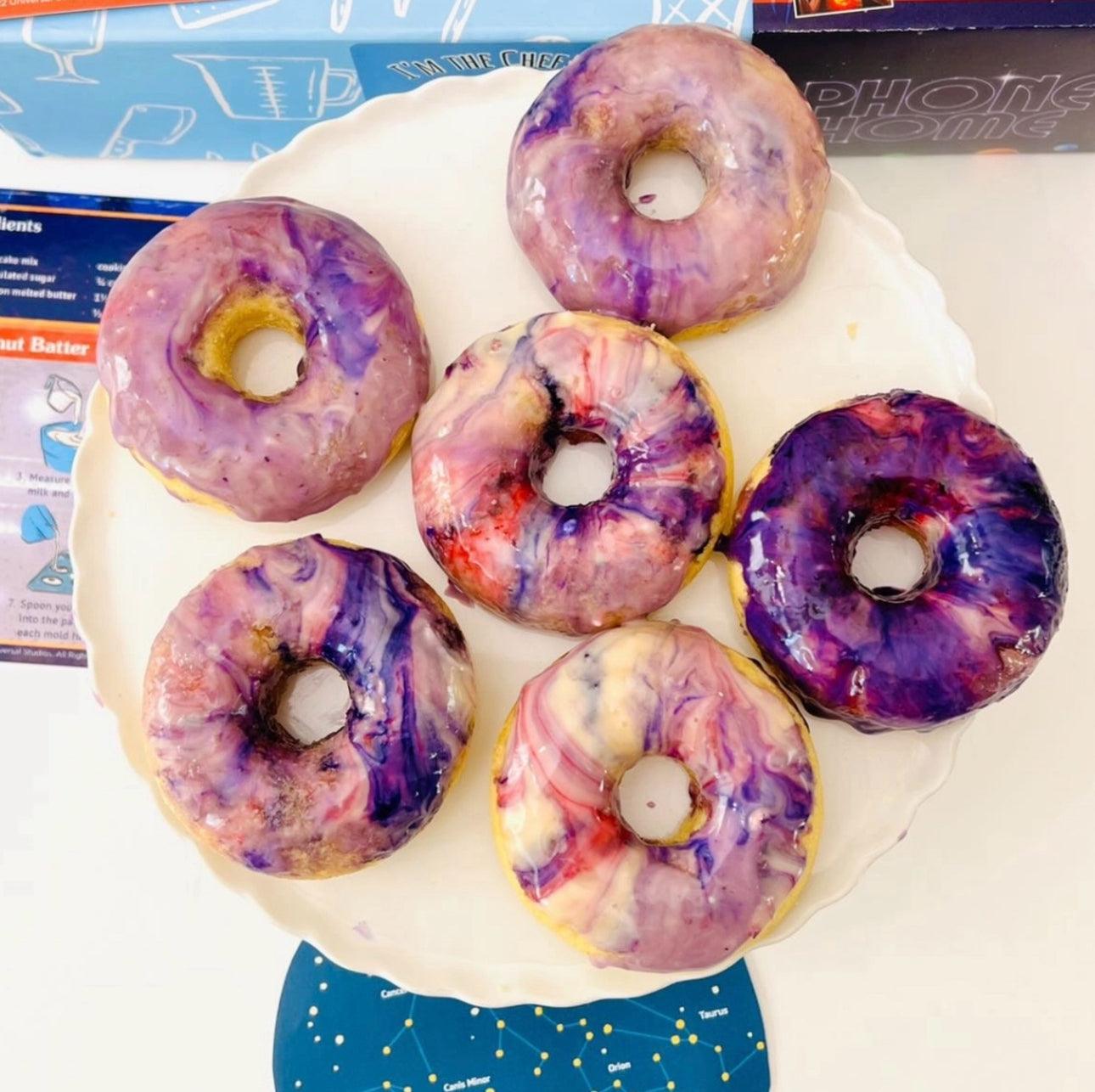
For kids obsessed with the stars, 3D printing a scale model of a Mars Rover or a Space Shuttle is an engineering dream. This fits beautifully with the themes we explore in our Galaxy Donut Kit, where we dive into the wonders of our solar system while decorating delicious treats. As the rover prints, you can discuss the challenges of landing a vehicle on another planet and why specific shapes are used for space travel.
Math Manipulatives: Same Height, Same Value
Math can sometimes feel abstract and frustrating for early learners. 3D printing "Same Height, Same Value" blocks helps change that. These are blocks where the height of the block corresponds to its numerical value. For example, a "2" block and a "3" block stacked together will be the exact same height as a "5" block. This provides a physical, visual representation of addition and subtraction that is incredibly helpful for kinesthetic learners.
Topographical Maps and Volcanoes
Understanding geography is much easier when you can see the elevation. You can 3D print a topographical map of your local area or a famous mountain. This leads naturally into earth science lessons. If you print a hollow volcano structure, you can even use it for "erupting" experiments with baking soda and vinegar. This is the same type of "edutainment" we provide with our Erupting Volcano Cakes kit, where we combine the science of chemical reactions with the art of baking.
Bottom line: Using 3D printing to create physical models of complex subjects like paleontology, math, and geography makes learning more interactive and helps children retain information through multiple senses.
Toys and Play: Bringing Imagination to Life
Play is the "work" of childhood, and 3D printing can make that work even more exciting. While we love using printers for "serious" learning, we should never forget the joy of making toys. These projects often involve moving parts and "print-in-place" hinges, which are fascinating feats of engineering.
Custom LEGO Minifigures and Bricks
LEGO is a staple of childhood, and 3D printing takes it to the next level. You can print bricks that are compatible with the ones you already have. This allows kids to create custom pieces that LEGO doesn't make—like a special bridge or a unique roof piece. You can even print "blank" minifigures and let your child paint them to look like their favorite book character or even themselves.
Articulated Animals: Flexi-Rex and Friends
"Articulated" or "flexi" models are some of the most popular 3D prints. These are designed so that the joints are already connected when they come off the printer bed. The Flexi-Rex (a flexible T-Rex) or an articulated shrimp can wiggle and move immediately. Kids find it fascinating that a hard plastic object can be so floppy and move so realistically. It’s a great way to talk about joints, movement, and how different shapes can create flexibility.
Fidget Toys and Squishy Dice
Fidget spinners, cubes, and "squishy" dice are excellent projects for kids who like to keep their hands busy. One popular design is a D20 (a twenty-sided die) held together by elastic cords. It snaps back into shape after you squeeze it and makes a satisfying clicking sound. These projects are small enough to be printed in an evening and provide hours of tactile entertainment.
Beach Tools and Sandcastle Molds
If a trip to the beach is in your future, why not print your own sandcastle tools? You can design rakes, shovels, and buckets that are perfectly sized for small hands. Because you can choose the color and add a name to the design, these tools are much less likely to get lost in the sand. This project shows kids that they can manufacture their own outdoor gear rather than relying on store-bought sets.
The Art and Science of Design
3D printing is where the "A" in STEAM (Science, Technology, Engineering, Arts, and Math) truly shines. While there is a lot of math involved in dimensions and scaling, there is an equal amount of art involved in aesthetics and form. Encouraging children to think about both sides of the coin makes them more well-rounded thinkers.
Spiral Vases and Home Decor
Vase mode is a special setting on 3D printers where the machine prints the entire object in one continuous, spiraling line. This creates beautiful, thin-walled vessels that look like they were made by a professional potter. Kids can experiment with different "twists" and "scales" in the software to see how the shape changes. These make wonderful gifts and introduce the concept of "generative art"—using math to create beauty.
Holiday Decorations
Every holiday provides a new opportunity for 3D printing. From spooky crows for Halloween to custom snowflakes for the winter holidays, kids can decorate their homes with their own creations. One fun project is to print a "Halloween Crow" and place it over a door frame. This allows kids to take part in the seasonal transformation of their home using their own technical skills.
Light and Shadow: Lithophanes
A lithophane is a 3D-printed picture that only reveals itself when you hold it up to a light source. The printer makes the "dark" parts of the photo thicker and the "light" parts thinner. When light passes through, a realistic image appears. This is a magical way to introduce the physics of light and opacity. Children can choose a favorite family photo or a picture of a pet and watch it "appear" in plastic.
Troubleshooting: Turning "Oops" into "Aha!"
In the world of 3D printing, things will eventually go wrong. The filament might tangle, the print might unstitch from the bed, or the power might go out. For a parent or educator, these are the most teachable moments. Instead of fixing it quietly while the child is in another room, involve them in the process of figuring out why it happened.
The "Spaghetti Monster" is a rite of passage. When a print doesn't stick to the bed, the printer keeps extruding plastic into thin air, creating a bird's nest of plastic "spaghetti." When this happens, laugh about it! Then, ask the child: "Why do you think it didn't stick?" Maybe the bed was dirty, or maybe the first layer was too high. This is the scientific method in action: observing a result, forming a hypothesis, and testing a solution.
Myth: 3D printing is too complicated for young children to understand. Fact: While the machinery is advanced, the core concepts—building in layers, using shapes to create objects, and trial-and-error—are very intuitive for kids who have played with blocks or playdough.
Maintenance is part of the hobby. Just like we teach kids to clean their workspace after making Wild Turtle Whoopie Pies, we should teach them to maintain their printer. This includes cleaning the print bed with a bit of rubbing alcohol or checking that the screws are tight. Understanding how to care for their tools is a vital life skill that fosters a sense of responsibility.
Connecting 3D Printing to Other STEM Fields
3D printing does not exist in a vacuum; it touches almost every scientific discipline. By showing children these connections, we help them see the bigger picture of how technology integrates into our daily lives.
Chemistry and Materials Science
The plastic used in 3D printing is a polymer. You can talk to children about how heat changes the state of the plastic from a solid to a liquid and back to a solid. This is a great time to discuss the difference between "physical changes" and "chemical reactions." If they are interested in how materials change, they might also enjoy the chemistry of baking, where ingredients transform in the heat of the oven.
Biology and Biomimicry
Scientists are now using 3D printing to create prosthetic limbs and even "bioprint" tissues. You can explain how engineers look at nature (biomimicry) to design 3D prints. For example, some 3D printed structures use a honeycomb pattern inside (called "infill") because it is incredibly strong but uses very little material—just like a beehive. This connects the tech on the desk to the world outside the window.
Physics and Engineering
How does a 3D printer move so precisely? It uses "stepper motors" and belts. This is a gateway into the world of robotics. You can discuss how the printer moves along the X, Y, and Z axes. This is real-world geometry. When a child scales an object up or down, they are learning about volume and surface area in a way that feels practical and necessary for their project to succeed.
Tips for Parents and Educators: Success Strategies
Manage expectations about time. 3D printing is a slow hobby. A small toy might take two hours, while a large project could take twenty. We suggest starting prints in the morning or on a weekend so kids can see the progress throughout the day. It’s also helpful to have a "gallery" shelf where finished prints go, so they can see their collection grow over time.
Keep a "Scrap Bin" for old prints. Don't throw away the failed prints or the "supports" that are broken off. These can be used for other art projects, or you can use them to show other students what happens when settings aren't quite right. Some communities even have recycling programs where you can turn old PLA scraps back into new filament.
Encourage "Remixing." You don't always have to design from scratch. Sites like Printables or Thingiverse allow you to download designs that others have shared. Encourage your child to "remix" these—take a dinosaur and add a hat in the design software. This teaches them that they are part of a global community of "makers" who share ideas and help each other grow.
Key Takeaway: Success in 3D printing comes from viewing every print—successful or not—as a learning opportunity and encouraging children to engage with the global community of creators.
Making Learning Delicious and Hands-On
At I'm the Chef Too!, we are passionate about the "edutainment" philosophy. We believe that when you blend subjects like STEM and the arts into a tangible, delicious, or fun experience, the learning sticks. Whether it is through a 3D printer or one of our monthly subscription kits, our goal is to spark that "aha!" moment for every child.
Our Chef’s Club subscription is designed to bring this same spirit of adventure into your kitchen every month. Just as a 3D printer gives a child a new tool to express their creativity, our kits provide the ingredients and the "specialty supplies" to turn a rainy afternoon into a science expedition. We want families to bond over these screen-free activities, building memories while they build skills.
If you are looking for more ways to engage your little maker, consider exploring our one-time kits. From the erupting wonders of geology to the sweet mysteries of the galaxy, there is always something new to discover. The world is a big, fascinating place, and with the right tools—be they a spatula or a 3D printer—your child can explore every bit of it.
Conclusion
3D printing is an incredible way to introduce children to the world of modern engineering and design. It encourages them to think critically, solve problems with patience, and view themselves as creators rather than just consumers. From simple Minecraft cubes to complex space shuttles, the variety of 3D printing projects for kids is virtually endless. By starting small and emphasizing the fun of the process, you can help the children in your life develop a lifelong love for STEM and the arts.
- Start with quick wins to build confidence and interest.
- Use functional projects to show the real-world utility of technology.
- Embrace failures as necessary steps in the scientific method.
- Connect projects to other interests like space, dinosaurs, or cooking.
The most important step is simply to begin. Whether you're setting up your first printer or looking for your next big classroom project, remember that the goal is joy and discovery.
"The transition from a digital idea to a physical object is the ultimate proof to a child that their imagination has power."
Ready to keep the hands-on learning going? Join The Chef's Club today and start your next "edutainment" adventure with a new kit every month.
FAQ
What age is appropriate for kids to start 3D printing?
Most children can start getting involved in 3D printing around ages 7 or 8 with adult supervision. At this age, they can help choose models and understand safety rules, while older children (10+) can often begin learning the basic design software and operating the printer more independently.
Is 3D printing plastic safe for use in the kitchen?
Standard PLA filament is generally considered non-toxic, but it is not "food safe" because the 3D printing process leaves tiny ridges where bacteria can grow. If you want to make kitchen items like cookie cutters, it is best to use them as one-time items or coat them in a food-safe epoxy resin.
How much does it cost to get started with 3D printing?
Entry-level 3D printers that are reliable for kids and hobbyists typically cost between $150 and $300. Beyond the machine, the main ongoing cost is the filament, which usually costs about $20 per kilogram—enough to print dozens of small toys and projects.
What is the best software for kids to design their own 3D models?
Tinkercad is widely considered the best starting point for children because it is free, runs in a web browser, and uses a simple "drag and drop" interface. It offers excellent tutorials that guide kids through the process of building complex shapes out of simple ones.