Table of Contents
- Introduction
- The Educational Power of 3D Printing
- Getting Started: Beginner 3D Printer Projects for Kids
- Educational Projects for the Home Classroom
- Fun and Functional Toys
- Organization and Life Skills Projects
- The Maker’s Kitchen: Connecting Printing and Cooking
- Step-by-Step: Managing Your First Kid-Friendly Print
- Troubleshooting with Kids: Turning Fails into Lessons
- Designing Your Own Models
- Safety Considerations for Young Makers
- Bridging the Gap Between Screen Time and Real Life
- 3D Printing Projects for Different Age Groups
- Encouraging a Lifelong Love of STEM
- Conclusion
- FAQ
Introduction
There is a specific kind of magic that happens when a child watches a digital idea transform into a physical object. You might see it first when they spend an hour meticulously designing a character on a screen, only to realize they can hold that very character in their hand by lunchtime. This bridge between the virtual and the physical is where true innovation begins. As parents and educators, we are always looking for ways to move children from being passive consumers of technology to active creators.
3D printing offers a unique platform for this shift, blending engineering, art, and mathematics into one cohesive experience. At I'm the Chef Too!, we believe that hands-on learning is the most effective way to engage young minds, whether they are measuring ingredients for a recipe or calibrating a printer bed for a new build. If you want a steady stream of screen-free kitchen adventures alongside maker projects, join The Chef's Club for a new experience delivered every month. This guide will explore a variety of 3d printer projects for kids that range from simple toys to complex educational tools.
We will cover how to get started, the STEM concepts hidden within each print, and how to maintain a sense of wonder throughout the process. By the end of this article, you will have a clear roadmap for integrating 3D printing into your home or classroom activities. If you are looking for more hands-on inspiration beyond this list, explore our full kit collection for themed STEM adventures that bring learning to life.
The Educational Power of 3D Printing
Before diving into specific projects, it is important to understand why 3D printing is such a potent educational tool. It is not just about making plastic toys; it is about the "Maker Mindset." This mindset encourages children to look at problems as opportunities for design. When a print fails—and some will—it provides a natural lesson in the scientific method. For a related look at how we connect hands-on building with learning, read our guide to creative 3D printing projects for kids.
Children must observe the failure, hypothesize why it happened (was the bed not level? was the temperature too low?), and test a new solution. This iterative process is exactly what professional engineers do every day. Beyond engineering, 3D printing touches on several key developmental areas:
- Spatial Reasoning: Visualizing a 2D drawing as a 3D object helps children develop mental rotation skills.
- Math in Action: Scaling a model requires an understanding of ratios, percentages, and geometry.
- Patience and Persistence: High-quality prints take time, teaching kids that great results are worth the wait.
- Artistic Expression: Customizing colors and shapes allows for a blend of technical skill and creative flair.
Key Takeaway: 3D printing is a physical manifestation of the "fail forward" philosophy, where every mistake is a data point that leads to a better final product.
Getting Started: Beginner 3D Printer Projects for Kids
When introducing a child to a 3D printer, it is best to start with "quick wins." These are projects that print relatively fast and have a high success rate. This builds momentum and reduces the frustration that can come with more complex mechanical builds.
The 3D Benchy
The "Benchy" is a small tugboat that has become the universal standard for testing 3D printers. While it looks like a simple toy, it is actually a sophisticated "benchmark" tool. It tests the printer’s ability to handle curves, holes, and overhanging surfaces without supports.
When you print a Benchy with your child, you can explain that the printer is "drawing" with plastic. Point out how the machine handles the arched doorways of the boat. If the roof looks a little saggy, it is a great time to talk about gravity and how the plastic needs to cool quickly to stay in place.
Simple Minecraft Cubes
For many kids, Minecraft is their first introduction to 3D design. Printing a simple grass block or a "Steve" character is a fantastic way to bridge their favorite video game with real-world physics. Since these models are mostly composed of cubes, they are very easy for the printer to execute.
You can take this project a step further by using different colored filaments. If your printer only uses one color at a time, your child can practice their fine motor skills by painting the individual pixels on the cube after it finishes printing.
Apple AirTag Keychain Holders
Practicality is a great motivator for older children. Designing and printing a small case for an AirTag teaches them about tolerances—the tiny bit of extra space needed so a part fits snugly but doesn't break. This project usually takes less than 20 minutes, providing instant gratification and a useful tool for their school backpack.
Educational Projects for the Home Classroom
For homeschoolers and educators, 3D printing can turn abstract concepts into tactile lessons. When a child can touch a replica of a fossil or a model of a planet, the information sticks in a way that a textbook cannot match. If you are teaching in a classroom, homeschool pod, or camp setting, our school and group programmes are designed to bring that same hands-on energy to larger learning spaces.
The T-Rex Skull
Paleontology comes to life when you print a scale model of a Tyrannosaurus Rex skull. This project allows you to discuss the anatomy of prehistoric creatures and how scientists use fossils to determine what dinosaurs ate. You can find files that are "articulated," meaning the jaw actually opens and closes.
As the layers build up, explain that this is similar to how sedimentary rock forms over millions of years, trapping bones inside. This project perfectly aligns with the way we approach learning at I'm the Chef Too!, where we might use our Wild Turtle Whoopie Pies kit to teach children about modern-day reptiles and their habitats while they bake.
Space Shuttle for Mars Exploration
If your child is fascinated by the stars, printing a space shuttle or a Mars rover is an excellent way to discuss aerospace engineering. You can talk about why certain shapes are used to break through the Earth's atmosphere and what kind of tools a rover needs to collect soil samples on another planet.
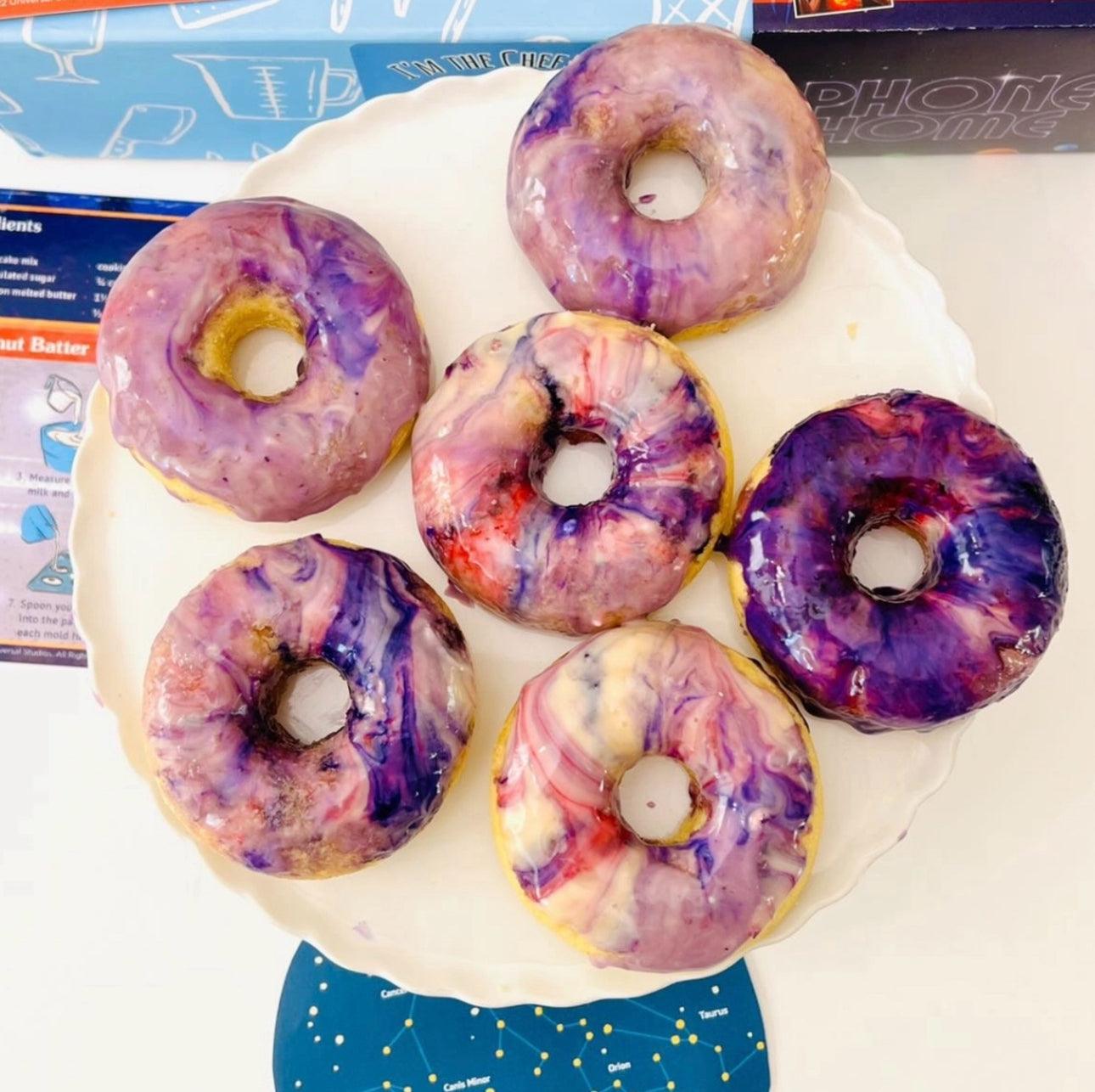
This project often requires multiple parts that need to be snapped together. This teaches children about assembly and how complex machines are often made of many smaller, specialized components. To keep the theme going, you could pair this activity with our Galaxy Donut Kit, where kids can explore the colors of the nebula while waiting for their shuttle to finish printing.
Math Manipulatives: Same Height, Same Value
Many children struggle with the concept of fractions or relative values. You can print a set of blocks where the "number 10" block is exactly ten times the height of the "number 1" block. When kids stack two "5" blocks next to a "10" block and see they are the same height, the math becomes visual and undeniable.
Bottom line: Using 3D prints as physical math tools helps bridge the gap for tactile learners who need to "feel" the numbers to understand the logic.
Fun and Functional Toys
The most popular 3d printer projects for kids are often the ones they can play with immediately. Modern 3D printing allows for "print-in-place" designs, which are models with moving parts that are printed all at once.
Flexi Rex and Articulated Animals
The "Flexi Rex" is a fan-favorite dinosaur with a segmented body that wiggles and moves. Because the joints are printed already linked together, there is no assembly required. This is a marvelous way to show kids the precision of the printer.
You can also find articulated sharks, dolphins, and even "fidget slugs." These toys are excellent for sensory play and help children understand the concept of mechanical hinges. For more ideas that blend creativity and hands-on learning, our engineering STEM activities for kids offer a useful next step.
Custom LEGO-Compatible Bricks
One of the most empowering things a child can do is create a custom piece for their existing toy sets. You can find files for bricks that are compatible with major brands, allowing kids to print a specific color or shape that doesn't exist in their toy box.
This project introduces the idea of open-source sharing. You can explain to your child that people all over the world share their designs for free so that everyone can build together. It turns the act of printing into a social and community-driven hobby.
Articulated Goose or Shrimp
Quirky, moving models like an articulated goose or a floppy shrimp are great for teaching kids about "print orientation." You have to decide which side of the model should touch the printer bed for the best results. Discussing why we print a goose on its side versus standing up introduces concepts of surface area and stability.
Organization and Life Skills Projects
Teaching children to keep their space tidy is much easier when they have tools they made themselves. Functional prints show kids that they have the power to fix problems in their environment.
Desk Organizers and Pen Holders
A cluttered desk can be a distraction during homework time. Let your child design a pen holder or a tray for their paperclips. They can add their name to the side of the design using simple software, making the project personal. This teaches them about "user-centered design"—creating a product that serves a specific need for a specific person.
Foldable Hooks and Hangers
If your child's headphones are always on the floor, print a foldable hook that attaches to the side of their desk. This project involves a bit more mechanical thinking, as the hook needs to be strong enough to hold weight but flexible enough to fold away when not in use.
Mini Trash Can with Moving Wheels
This project is a hit for kids who love "miniature" versions of real-world objects. A tiny desk trash can with a functional lid and wheels is a fun way to encourage them to keep their workspace clean. It also provides a lesson in "simple machines" like the wheel and axle.
The Maker’s Kitchen: Connecting Printing and Cooking
At I'm the Chef Too!, we are always looking for ways to blend different STEM fields. The kitchen is actually one of the best places to see the principles of 3D printing in action. Think about it: a 3D printer "extrudes" plastic layer by layer, much like a baker extrudes frosting through a piping bag to create a 3D decoration on a cake.
You can use 3D printing to create custom cookie cutters or pancake molds. (Always ensure you are using food-safe filament and following proper hygiene protocols). This allows children to design a shape on the computer and then use that shape to create a delicious treat. If you want to see how we bring similar excitement to cooking, our Erupting Volcano Cakes Kit turns chemistry into a hands-on dessert adventure.
Connecting these two worlds helps children see that STEM isn't just about computers and robots—it's about how we create and interact with everything around us. Whether they are waiting for a 3D print to finish or waiting for their monthly STEM cooking adventure to arrive, they are learning that the best results come from careful preparation and following a series of logical steps.
Step-by-Step: Managing Your First Kid-Friendly Print
If you are new to this technology, follow these steps to ensure a smooth experience for both you and your young maker.
Step 1: Choose a simple model. / Pick a file with a flat base and no steep overhangs, like a thick coin or a basic cube. This ensures the print stays stuck to the bed.
Step 2: Prepare the software. / Use a "slicer" program to convert the 3D model into instructions the printer can understand. Let your child watch as the software "slices" the object into hundreds of thin layers.
Step 3: Check the filament. / Ensure you have enough PLA (Polylactic Acid) filament for the job. PLA is the best choice for kids because it is made from cornstarch and doesn't produce harsh fumes like other plastics.
Step 4: Watch the first layer. / This is the most critical part of the print. Stay with your child and watch as the printer lays down the foundation. If the first layer sticks, the rest of the print is much more likely to succeed.
Step 5: Post-processing fun. / Once the print is finished and cooled, let your child remove it from the bed. They can use fine-grit sandpaper to smooth any rough edges or use acrylic paints to bring the model to life.
Troubleshooting with Kids: Turning Fails into Lessons
Not every print will be perfect. In fact, some of the best learning happens when things go wrong. Instead of getting frustrated, treat a failed print like a mystery to be solved.
Myth: A failed 3D print is a waste of time and material. Fact: A failed print is a valuable diagnostic tool that teaches kids how to analyze data and improve their technical skills.
Common issues you might encounter include:
- "Spaghetti" Prints: This happens when the model detaches from the bed and the printer keeps extruding plastic into thin air. It’s a great way to talk about bed adhesion and the importance of a clean surface.
- Layer Shifting: If the printer gets bumped, the layers might not line up correctly. This teaches kids to respect the "work zone" of a running machine.
- Clogged Nozzles: This is a more advanced fix, but it allows you to show your child the internal anatomy of the printer’s "hot end."
Designing Your Own Models
Once your child has printed a few things they found online, they will naturally want to make something from their own imagination. This is the ultimate goal of 3d printer projects for kids. If your child enjoys visual design tools, this guide to fun computer projects for kids is a helpful companion read.
Using Tinkercad
Tinkercad is a free, web-based design tool specifically made for children. It uses "primitive shapes" like boxes, cylinders, and spheres that kids can drag, drop, and group together to build complex objects. It is incredibly intuitive and feels more like playing with digital blocks than using professional engineering software.
Start by having them design a simple nameplate or a keychain. As they get more comfortable, they can try "subtracting" shapes—using a cylinder to "hole out" a square to make a ring. This introduces the concept of Boolean operations in a way that feels like a game.
The Design Thinking Process
Encourage your child to follow these steps when they have a new idea:
- Empathize: Who is this for? (e.g., "I want to make a holder for my sister's crayons.")
- Define: What does it need to do? (e.g., "It needs to hold 10 crayons and fit on her small desk.")
- Ideate: Draw a few versions on paper first.
- Prototype: Create the 3D model in Tinkercad.
- Test: Print it out and see if the crayons actually fit!
Safety Considerations for Young Makers
While 3D printing is a safe hobby, it does involve heat and moving parts. It is essential to establish "shop rules" before you start your first project.
- Hot Surfaces: The "nozzle" of the printer can reach temperatures over 400 degrees Fahrenheit. Teach children to never touch the print head while it is on or cooling down.
- Moving Parts: Fingers should stay away from the belts and motors while the machine is in motion to avoid pinches.
- Filament Safety: Always use PLA filament for indoor projects with kids. It is biodegradable and lacks the toxic smell of materials like ABS.
- Adult Supervision: A 3D printer should never be left running entirely unattended by an adult, especially during the first few and last few layers of a print.
Bridging the Gap Between Screen Time and Real Life
One of the biggest challenges for modern parents is managing screen time. 3D printing is a unique solution because it uses a screen as a tool for creation rather than a medium for consumption. The time spent on the computer is purposeful—it is the "blueprinting" phase for a real-world object.
Once the "Print" button is pressed, the focus shifts to the physical world. Children spend time observing the machine, troubleshooting the hardware, and eventually playing with or using their creation. It turns technology into a means to an end, rather than the end itself.
At I'm the Chef Too!, we strive for this same balance. We want children to be excited about the science and the art, using their hands to build, mix, and create. Whether they are exploring the solar system through a 3D printed model or through our Galaxy Donut Kit, they are engaging with the world in a way that is active, tactile, and deeply memorable.
3D Printing Projects for Different Age Groups
Not all projects are suitable for all ages. Tailoring the experience to your child's developmental stage ensures they stay engaged without feeling overwhelmed.
| Age Range | Skill Level | Recommended Projects | STEM Focus |
|---|---|---|---|
| Ages 5-7 | Beginner | Minecraft Cubes, Simple Toys | Shape recognition, Color theory |
| Ages 8-10 | Intermediate | Flexi Rex, Custom LEGOs, Math Blocks | Mechanical movement, Ratios |
| Ages 11+ | Advanced | AirTag Holders, Space Shuttles, T-Rex | Tolerances, Engineering, Geometry |
Encouraging a Lifelong Love of STEM
The most important thing to remember is that 3D printing is a journey. Your child's first print might be a tiny, lopsided cube, but that cube represents their first step into the world of manufacturing and design. By encouraging them to keep trying, you are helping them build a foundation of confidence that will serve them in every subject they study.
As they grow, their projects will become more complex. They might start printing parts for a school science project or even designing tools to help around the house. The skills they learn—patience, spatial reasoning, and problem-solving—are universal.
We see this same growth in the children who participate in The Chef's Club Subscription. They start with simple recipes and basic scientific observations, and over time, they become confident "kitchen scientists" who aren't afraid to experiment. For more ideas that blend creativity with hands-on discovery, spark your child’s curiosity with easy craft projects and keep the learning going.
Conclusion
3D printing is more than just a hobby; it is a gateway to understanding the modern world. By engaging in 3d printer projects for kids, you are giving your child the tools to turn their wildest ideas into reality. From the simple joy of a "Benchy" boat to the complex engineering of a space shuttle, these activities foster a sense of curiosity and a "can-do" attitude.
At I'm the Chef Too!, we are dedicated to making learning a multi-sensory adventure. We believe that when you combine the arts, STEM, and hands-on participation, you create moments of discovery that last a lifetime. Whether you are building a 3D model or baking a themed treat, you are building memories and skills together.
- Start with simple, high-success models like the 3D Benchy.
- Use free tools like Tinkercad to introduce basic design concepts.
- Embrace failures as opportunities to teach the scientific method.
- Connect digital design to physical play and real-world utility.
Key Takeaway: The value of 3D printing lies not in the plastic object itself, but in the critical thinking and creative confidence developed during the design and printing process.
Ready to take your family's hands-on learning to the next level? Explore how we blend science and creativity every month with a subscription to The Chef's Club.
FAQ
What is the best 3D printer for a child to start with?
Look for a printer that is "ready to use" out of the box with an enclosed printing area for safety. Models that have auto-leveling features are much easier for children (and parents) to use, as they eliminate one of the most common causes of print failure.
Is the plastic used in 3D printing safe for kids?
Yes, as long as you use PLA (Polylactic Acid) filament. PLA is made from natural materials like cornstarch, is biodegradable, and does not emit toxic fumes when heated, making it the standard choice for home and classroom use.
Do children need to know how to code to use a 3D printer?
No, 3D printing primarily uses design software rather than coding. Tools like Tinkercad allow children to build models using a visual, drag-and-drop interface, though learning basic coding can later help them with more advanced "parametric" design.
How long does a typical 3D print take?
A small, simple project like a keychain or a Minecraft cube usually takes between 15 and 45 minutes. More complex or larger models, such as an articulated dinosaur or a space shuttle, can take several hours, providing a great lesson in patience.