Table of Contents
- Introduction
- The Magic of 3D Printing and STEM
- Getting Started: Tips for Parents and Educators
- Beginner Projects: Success from the First Click
- Educational Projects: Learning Beyond the Classroom
- Toys and Games: Bringing Play to Life
- Practical Projects: Organizing Your Space
- From the Printer to the Kitchen: A Creative Bridge
- Choosing the Right Materials for Kids
- Making it a Social Adventure: Schools and Groups
- Troubleshooting Tips for Young Makers
- Designing Your Own Projects: Tinkercad for Kids
- Frequently Asked Questions (FAQ)
- Conclusion
Introduction
Have you ever watched a child’s face light up when they realize they can actually create something they’ve only ever seen in their mind? It’s that magical "aha!" moment where imagination meets reality. Imagine if your living room could become a mini-factory where your child designs their own toys, solves household problems with custom gadgets, or explores the complex world of geometry by holding it in their hands. That is the power of 3D printing. Just like when we mix flour, sugar, and a dash of curiosity to create a masterpiece in the kitchen, 3D printing allows children to blend technology, art, and engineering into something tangible and exciting.
At I'm the Chef Too!, we are all about these types of "edutainment" experiences. Our mission is to spark curiosity through hands-on learning, whether that's through a delicious recipe or a high-tech building project. We believe that when kids are actively involved in the process—touching, measuring, and creating—they learn more deeply and develop a lifelong love for discovery. This blog post is designed to be your go-to resource for exploring 3D printer projects for kids. We will cover everything from the very first "test" prints to complex educational models that turn a rainy Tuesday into a journey through outer space or the prehistoric era.
By the end of this guide, you’ll have a library of ideas to keep your young maker busy, tips for keeping things safe and fun, and a clear understanding of how these high-tech hobbies complement the creative skills they learn while baking and cooking. Our goal is to help you foster a love for learning, build your child’s confidence, and create joyful family memories through the wonders of 3D printing and STEM.
The Magic of 3D Printing and STEM
3D printing isn’t just about making plastic trinkets; it’s a gateway to the world of STEM (Science, Technology, Engineering, and Math). When a child works on a 3D printing project, they are inadvertently learning about spatial reasoning, three-dimensional geometry, and the basics of engineering. They have to think about how a structure stays upright, how much "infill" or internal support an object needs, and how different shapes fit together.
This mirrors the philosophy we hold dear at I'm the Chef Too!. When kids use our kits, they aren't just making a snack; they are observing chemical reactions, practicing fractions through measurement, and exploring the physics of heat. 3D printing is the digital version of this tactile learning. It’s an incredible screen-free educational alternative (once the design phase is done!) that keeps hands busy and minds sharp.
For parents looking to provide a consistent stream of these types of learning opportunities, a recurring theme of discovery is key. That’s why many families find that The Chef's Club Subscription is the perfect companion to a new 3D printer. While the printer works on a new toy, you can be in the kitchen together, exploring a different side of STEM.
Getting Started: Tips for Parents and Educators
Before we dive into the specific projects, it’s important to set the stage for success. 3D printing can sometimes feel a bit technical, but for a child, it should feel like play.
Adult Supervision and Safety
Just as you wouldn't let a young child use a hot stove alone, 3D printers require adult supervision. The "hot end" of the printer can reach temperatures over 400 degrees Fahrenheit, and the moving parts can pinch small fingers. Always frame these activities as a partnership. You are the "Head Engineer," and they are the "Lead Designer."
Simple Language
When explaining how it works, use everyday analogies. You can tell your child that the 3D printer is like a very high-tech hot glue gun that follows a computer's instructions to stack layers of plastic on top of each other. This makes the concept of "additive manufacturing" easy for even a five-year-old to grasp.
Managing Expectations
Not every print will be perfect. Sometimes the plastic won't stick to the bed, or a "spaghetti mess" will occur. This is actually a great teaching moment! It’s an opportunity to practice problem-solving and resilience—key skills we emphasize in all our adventures. If a project fails, we just tweak the recipe and try again, just like we would in the kitchen.
If you’re looking for a break from the technical side of things and want a guaranteed win, you can always explore our full library of adventure kits to find a project that comes with everything you need for immediate success.
Beginner Projects: Success from the First Click
When you first unbox a 3D printer, the temptation is to print something massive and complex. However, starting small ensures that your child experiences a "win" early on. Here are the best entry-level 3D printer projects for kids.
The 3D Benchy
The "Benchy" is a small tugboat that has become the universal mascot of 3D printing. It’s designed specifically to test the capabilities of a printer. It features curves, holes, and overhangs.
- Why kids love it: It’s a cute little boat they can play with in the sink or bathtub.
- Educational value: It teaches them about "benchmarking" or testing a tool to make sure it’s working correctly.
- Time: Usually takes about 1 to 2 hours.
Full Color Minecraft Cubes
If your child loves gaming, they likely love Minecraft. Since the game is built on blocks, it is the perfect introduction to 3D modeling.
- Project Idea: Use a simple design program like Tinkercad to create a 1x1 inch cube.
- The Creative Twist: Once printed, kids can use acrylic paints or permanent markers to add textures like grass, stone, or "creeper" faces. This blends digital tech with traditional arts and crafts.
Apple AirTag Keychain Holders
This is a fantastic "functional" project. Many kids have AirTags on their backpacks or keys. Printing a custom holder is a quick 15-minute project.
- The Skill: It teaches kids about "tolerances"—the idea that a hole has to be just the right size for an object to fit inside it.
For families who love the idea of creating their own custom items, you might find that the same creativity applies to our themed baking kits. You could even use your 3D printer to make a custom stencil for one of our cakes! If you want a new adventure delivered to your door every month with free shipping in the US, consider joining The Chef's Club Subscription.
Educational Projects: Learning Beyond the Classroom
3D printing allows children to hold history and science in their hands. Here is how you can use a 3D printer to supplement what they are learning in school.
The T-Rex Skull
Paleontology comes to life when you print a replica of a dinosaur fossil.
- The Experience: As the printer builds the skull layer by layer, you can talk about how fossils are formed over millions of years.
- Case Study: Imagine a 7-year-old who is obsessed with dinosaurs. They could spend the morning printing a T-Rex skull and the afternoon acting like a real paleontologist with our Fudgy Fossil Dig kit. This creates a multi-sensory learning experience that sticks.
Space Shuttle for Mars Exploration
Aerospace engineering can feel very abstract, but a 3D-printed model makes it real.
- Project Idea: Find a model of a Mars Rover or a Space Shuttle.
- Educational Value: Discuss gravity, friction, and the vacuum of space while the model prints.
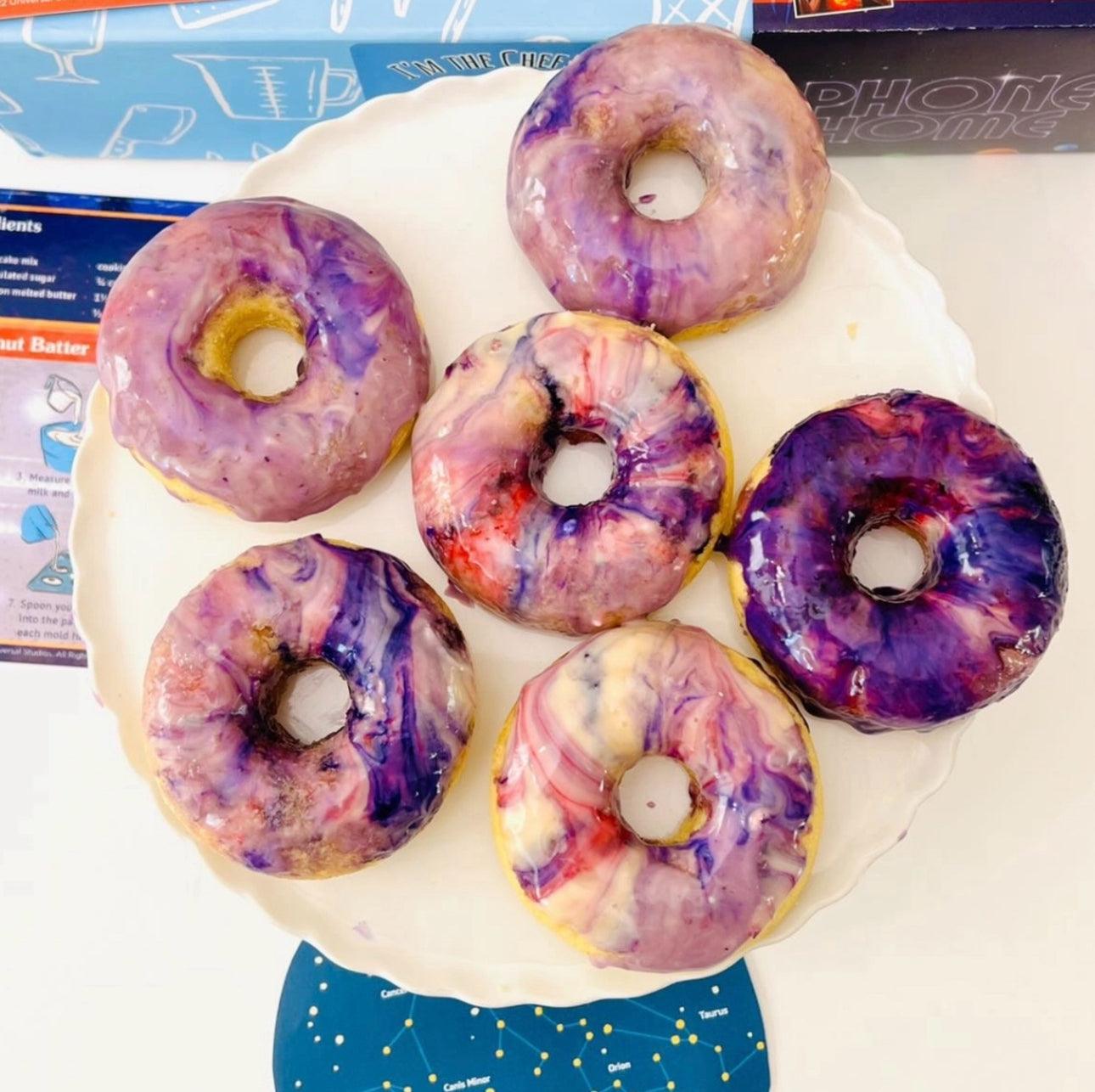
- The Perfect Pairing: After the print is done, you can explore astronomy by creating your own edible solar system with our Galaxy Donut Kit. It’s a delicious way to keep the space-themed learning going.
Math Manipulatives: "Same Height, Same Value"
For younger children struggling with the concept of numbers, 3D printing can provide a visual aid.
- The Design: Print out numbers where the height of the number corresponds to its value. For example, the number "5" is five centimeters tall, and the number "2" is two centimeters tall.
- The Lesson: When the child stacks a "2" and a "3" next to a "5", they can physically see that they are the same height. It turns an abstract math problem into a physical reality.
Toys and Games: Bringing Play to Life
One of the most exciting aspects of 3D printer projects for kids is the ability to manufacture your own toys. This shifts a child's perspective from being a consumer to being a creator.
Flexi Rex
Flexi Rex is a fan-favorite in the 3D printing community. It is a dinosaur with "print-in-place" hinges. This means that as soon as it comes off the printer, the joints move—no assembly required!
- The Fun Factor: It’s wiggly, bouncy, and makes a great fidget toy.
- The Lesson: It introduces the concept of mechanical linkages.
Lego-Compatible Bricks
Did you lose a specific Lego piece? You can print a replacement! Or better yet, design a "bridge" piece that allows Lego bricks to connect to other types of toys.
- The Skill: This teaches kids about "interoperability"—how different systems can work together.
Articulated Animals (Shrimp and Geese)
Similar to Flexi Rex, these models use complex hinges to create lifelike movement. An articulated shrimp or a "honking" goose can provide hours of entertainment.
- Gifting Idea: These make excellent, personalized gifts for friends. A 12-month subscription to our STEM cooking adventures also makes a wonderful gift for long-term enrichment, especially for a child who loves to make things for others. Check out The Chef's Club Subscription for a gift that lasts all year.
Practical Projects: Organizing Your Space
Teaching kids to be organized is a challenge, but it becomes much easier when they get to design their own organizational tools.
Post-it Note and Pen Holders
Help your child design a custom desk organizer. They can include slots for their favorite pens, a phone stand, and a place for their sticky notes.
- The Skill: Industrial design. They have to think about how they use their space and what features would make their "workday" easier.
Foldable Hooks
For a backpack or a pair of headphones, a foldable hook is a great engineering project. It uses a pin and a hinge to fold flat against the wall when not in use.
- The Lesson: This teaches them about space-saving design and structural integrity.
Custom Fridge Handles or Drawer Pulls
If something in your house breaks, involve your child in the repair.
- The Project: Measure the screw holes of a broken handle and design a replacement in a bright color or a fun shape (like a lightning bolt or a bone for a dog-treat drawer).
- The Impact: This builds immense confidence. The child sees themselves as someone who can fix the world around them.
From the Printer to the Kitchen: A Creative Bridge
At I'm the Chef Too!, we love to see how different fields of STEM overlap. 3D printing and cooking are actually very similar. In 3D printing, you have a "slicer" program that tells the printer what to do. In cooking, you have a recipe. Both require precision, the right "ingredients" (filament vs. food), and a bit of patience.
Custom Cookie Cutters
One of the best 3D printer projects for kids is designing their own cookie cutters. There are free websites where you can upload a drawing, and it will turn it into a 3D-printable outline.
- The Activity: Your child draws a monster. You 3D print the cutter. Then, you use one of our kits to bake the cookies.
- The Result: A completely unique, edible piece of art. Even beloved animals can make learning fun, like when kids make Wild Turtle Whoopie Pies and use a 3D-printed turtle-shaped stencil to decorate the plate!
Cake Toppers
Is it someone's birthday? Instead of buying a generic plastic topper, print a custom one with the person's name or their favorite character.
- The STEM Link: This involves learning about "bridging" in 3D printing—how the printer can move from one point to another in mid-air to create the letters of a name.
If you’re ready to dive into more of these blended experiences, you can explore our full library of adventure kits to see which themes might inspire your next 3D print.
Choosing the Right Materials for Kids
When printing with kids, the type of plastic (filament) you use matters.
PLA (Polylactic Acid)
This is the gold standard for kids' projects. It is made from fermented plant starch (usually corn) and is biodegradable.
- Pros: It doesn't put off toxic fumes, it comes in every color imaginable (even glow-in-the-dark!), and it’s very easy to print with.
- Cons: It can become soft if left in a hot car.
TPU (Thermoplastic Polyurethane)
This is a flexible, rubber-like filament.
- Use Case: Perfect for making "squishy" toys, phone cases, or tires for a 3D-printed car.
- The Challenge: It’s a bit trickier to print than PLA, so save this for when you and your child have a bit more experience.
Food Safety Note
While PLA is technically made from corn, most 3D-printed items are not "food safe" because the tiny layers can trap bacteria. If you make a cookie cutter, it’s best to use it once or coat it in a food-safe epoxy. Always prioritize safety, just as we do with our pre-measured, high-quality ingredients in every I'm the Chef Too! box.
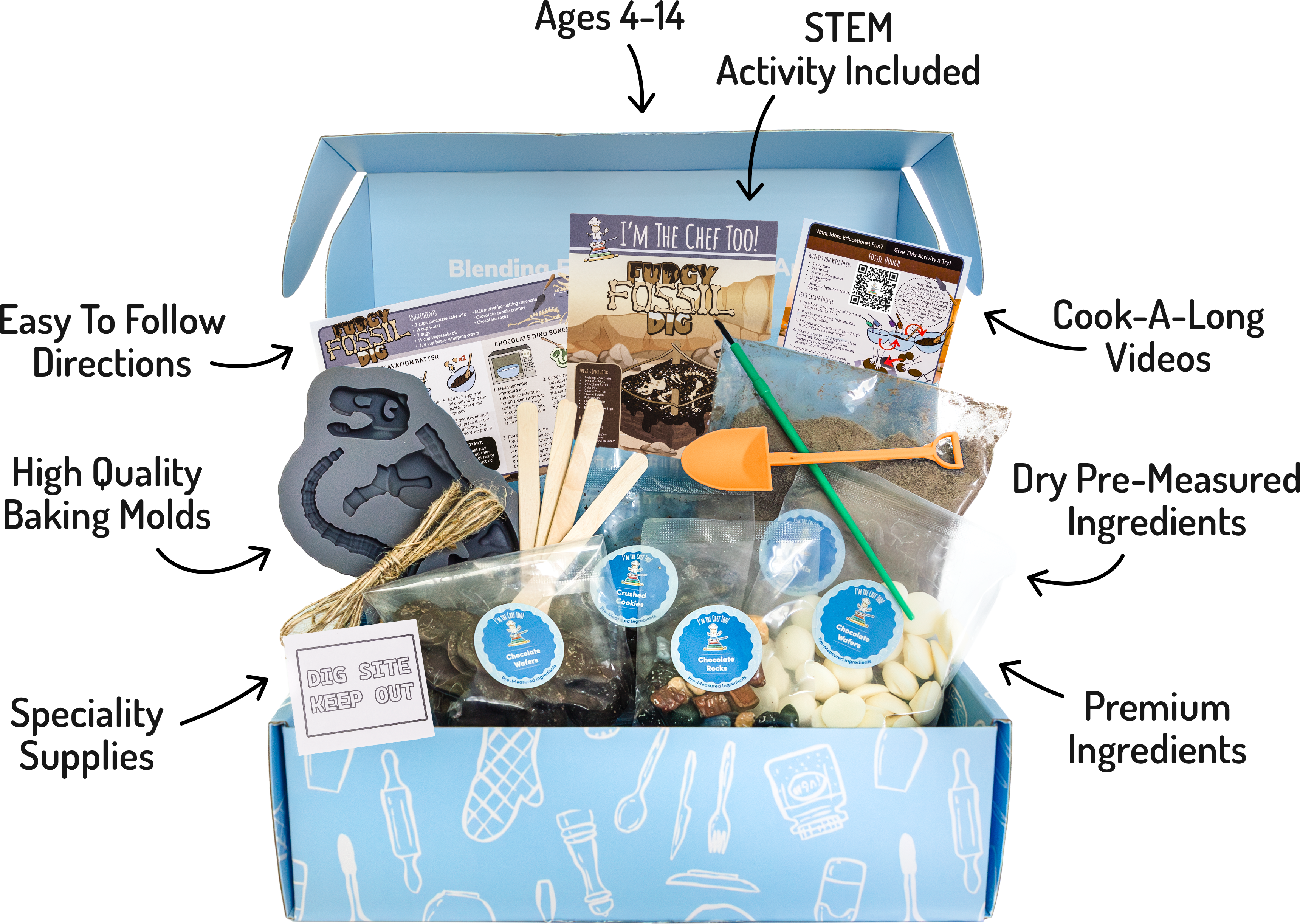
For those who want a completely hassle-free experience with materials, each box in The Chef's Club Subscription comes as a complete experience, containing pre-measured dry ingredients and specialty supplies, so you never have to worry about "clogging the nozzle" in the kitchen!
Making it a Social Adventure: Schools and Groups
3D printing is even more fun when shared with friends. Many schools, library maker spaces, and homeschool co-ops are now incorporating 3D printers into their curriculum.
Group Projects
Imagine a classroom where every student prints one piece of a giant architectural puzzle or a segment of a DNA strand. This teaches teamwork and collective problem-solving.
- The Collaboration: At I'm the Chef Too!, we also believe in the power of group learning. We encourage you to bring our hands-on STEM adventures to your classroom, camp, or homeschool co-op. Learn more about our versatile programs for schools and groups, available with or without food components, by visiting our School and Group Programs page.
Competitions
A fun weekend activity is a "3D Printing Challenge." Give your kids a problem—like "the remote control keeps getting lost"—and see who can design the best solution. Reward the winner with a special baking session using our Erupting Volcano Cakes kit to celebrate their "explosive" creativity!
Troubleshooting Tips for Young Makers
Part of the STEM journey is learning that things don't always go according to plan. Here’s how to handle common 3D printing hiccups with a positive attitude.
1. The "First Layer" Blues
If the plastic isn't sticking to the bed, it’s usually because the bed isn't level.
- The Fix: Show your child how to "level the bed." It’s a great lesson in precision. Use a piece of paper to check the gap between the nozzle and the plate.
2. Clogged Nozzles
Sometimes the "ink" gets stuck.
- The Fix: This is like a clogged pipe. You can teach your child about heat and pressure as you work together to clear it. (Note: This part involves high heat, so the adult should handle the tools!)
3. Stringing
If your print looks like it has cobwebs, the temperature might be too high.
- The Fix: Treat it like a science experiment. Lower the temperature by 5 degrees and try again. Record the results in a "Maker’s Journal."
Designing Your Own Projects: Tinkercad for Kids
You don't just have to download files from the internet. Your child can be a real designer!
Tinkercad
Tinkercad is a free, web-based 3D design tool made by Autodesk specifically for kids. It uses a "building block" approach where you drag and drop shapes (cubes, cylinders, spheres) and combine them to create complex objects.
- Getting Started: Spend 30 minutes doing the built-in tutorials. Your child will be designing their own nameplates and simple toys in no time.
- The Connection: Designing in 3D is very similar to decorating a cake. You have to think about the layers, the placement of different elements, and the overall "look" of the finished product.
Frequently Asked Questions (FAQ)
Is 3D printing safe for kids?
Yes, with adult supervision. The main risks are the hot components and moving parts. As long as a parent is present to handle the setup and any troubleshooting, it is a very safe and rewarding hobby.
What is the best age to start 3D printing?
Kids as young as 5 or 6 can enjoy watching the process and playing with the finished toys. Around age 8 to 10, they can begin learning to use basic design software like Tinkercad and helping with the printer's operation.
Is 3D printing expensive?
While the initial cost of the printer can range from $150 to $500, the cost per print is actually very low. A standard 1kg roll of PLA filament costs about $20 and can make dozens of small toys and projects.
How does 3D printing help with schoolwork?
It reinforces concepts in math (geometry, measurement), science (properties of materials, states of matter), and history (printing replicas of artifacts). It also develops critical thinking and persistence.
Can 3D printing be screen-free?
While the design phase happens on a computer, the actual printing and the subsequent play, painting, and assembly are completely screen-free. It’s a great way to balance tech time with hands-on activity.
Where can I find more STEM activities that don't require a printer?
If you're looking for more ways to engage your child in STEM without needing a high-tech machine, our The Chef's Club Subscription is the perfect solution. Each month, we deliver a new hands-on adventure that blends science and art in the most delicious way possible.
Conclusion
3D printer projects for kids offer an incredible opportunity to turn your home into a hub of innovation and creativity. From the very first tugboat that floats in the tub to a complex model of a T-Rex skull, each project is a step forward in your child’s STEM journey. These activities do more than just produce toys; they foster a love for learning, build confidence through problem-solving, and provide a unique way for families to bond over technology and art.
At I'm the Chef Too!, we are proud to support this spirit of discovery. Whether you are building a digital model or baking a physical one, the core values remain the same: curiosity, creativity, and fun. We believe that by providing these "edutainment" experiences, we are helping you create joyful memories that will last a lifetime.
Ready for a new adventure every month? Join The Chef's Club Subscription and enjoy free shipping on every box. Let's keep the learning—and the deliciousness—going all year long!